
Best AI Tools for Teachers: Lesson Planning, Grading, and Student Feedback in 2026
AI won't replace teachers — but it can take a huge chunk of the admin load off your plate. Here are the tools actually worth using in your classroom.

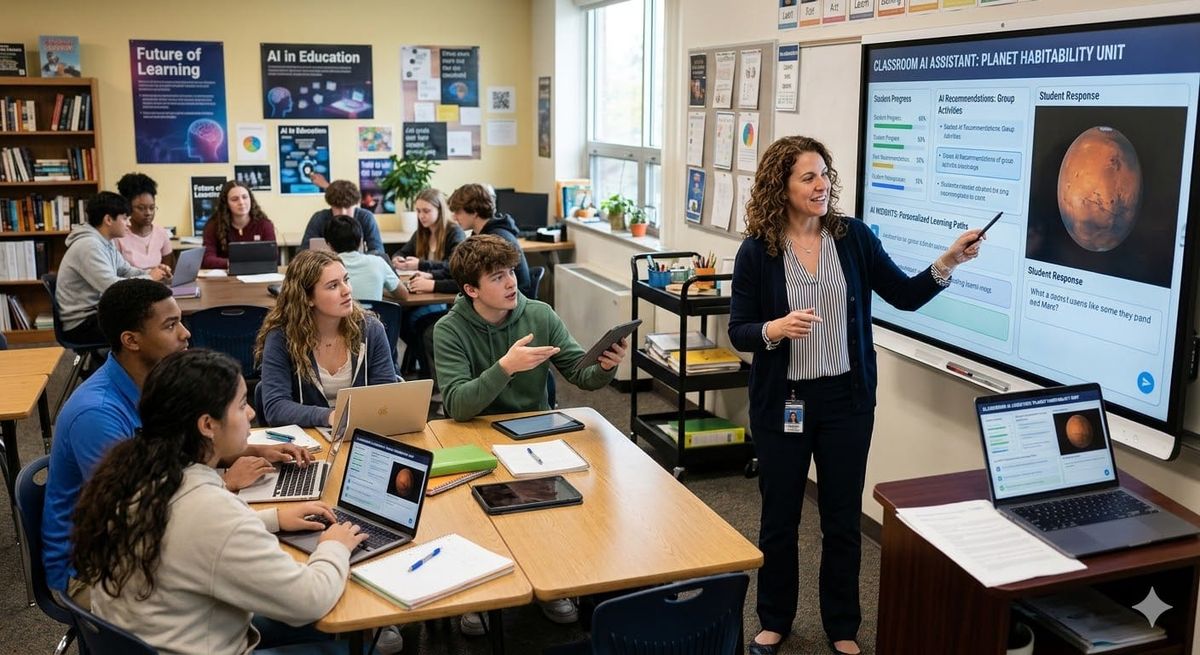
Teaching has always been one of the most demanding professions — you're lesson planning, grading, managing classrooms, communicating with parents, and personalizing learning for 30+ students simultaneously. AI won't replace teachers, but it can take a significant chunk of the administrative and creative load off your plate. Here's a practical look at the AI tools teachers are actually using right now, what they're good at, and where they fall short.
Why Teachers Are Turning to AI
The appeal is straightforward: AI can draft a full week's lesson plan in minutes, generate practice questions tailored to specific learning standards, and give students personalized feedback on essays — tasks that used to eat up hours of prep time. Surveys from 2025 and early 2026 show that over 60% of K-12 teachers report using AI tools at least weekly for lesson planning or content creation.
The key shift has been from "AI as a gimmick" to "AI as a real time-saver." Teachers who use it effectively treat AI as a first-draft machine — something to get 70% of the work done so they can focus their energy on the 30% that actually requires human judgment.
AI Tools for Lesson Planning
ChatGPT and Claude
Both ChatGPT (from OpenAI) and Claude (from Anthropic) are excellent general-purpose writing assistants that shine for lesson planning. Give either one a grade level, subject, and learning objective, and you'll get a solid lesson plan draft in under a minute. Claude tends to produce more structured, detailed output, while ChatGPT is faster and has a wider range of plugins and integrations for educators.
Try this prompt: "Write a 45-minute 7th grade science lesson on the water cycle. Include a warm-up activity, direct instruction, a group activity, and an exit ticket. Align to NGSS." You'll get something genuinely usable immediately — not perfect, but a solid starting point you can personalize for your class.
MagicSchool AI
MagicSchool AI (magicschool.ai) is purpose-built for educators and is one of the fastest-growing EdTech tools of 2025. It has over 60 teacher-specific templates including lesson plans, IEP goal generators, rubric creators, class newsletter drafts, and differentiation tools. The free tier is generous, and the paid plan ($10/month as of early 2026) unlocks unlimited use.
What makes MagicSchool stand out is that everything is framed around teacher workflows — you don't need to craft a clever prompt, you just fill in a structured form. It's particularly useful for special education teachers who need to generate IEP goals and differentiated materials quickly and consistently.
Diffit
Diffit (diffit.me) is a tool specifically for differentiated reading materials. Give it any text, article, or concept, and it will rewrite it at multiple reading levels — 3rd grade, 5th grade, 8th grade, and beyond. It also automatically generates comprehension questions, vocabulary lists, and discussion prompts for each version.
For ELL teachers and special education staff, Diffit is a genuine game-changer. It replaces what used to be hours of manually rewriting the same article at different reading levels.
AI Tools for Grading and Feedback
Gradescope
Gradescope uses AI to assist with grading at scale. It's primarily used at the college level but is finding its way into high schools. You upload student work — handwritten or typed — and Gradescope groups similar answers together, letting you grade one "type" of answer at a time rather than reading each submission individually. It also flags potential academic dishonesty through similarity detection.
Honest trade-off: Gradescope is excellent for math, science, and coding assignments — anything with clearly right or wrong answers. It's less useful for open-ended essay grading where nuanced human judgment matters most.
Writable
Writable is an AI-powered writing feedback platform designed specifically for K-12. Students write directly in the tool, and the AI gives instant feedback on their drafts before submission — catching issues with organization, development, and clarity. The result: teachers receive better first drafts because students have already iterated based on AI suggestions.
Teachers can also configure Writable to score essays using a custom rubric, though AI scoring should always be cross-checked against teacher judgment for high-stakes assignments.
Using Claude or ChatGPT for One-Off Feedback
For one-off feedback tasks, pasting a student essay directly into Claude or ChatGPT and asking for specific feedback works remarkably well. Try: "Give this 8th-grade persuasive essay a score of 1-4 on each of these rubric dimensions, with specific explanations for each score." It's not a systemized workflow like Writable, but for teachers who need to move faster on a pile of essays, it helps significantly.
AI Tools for Student Engagement
Curipod
Curipod generates interactive lesson slides with polls, word clouds, and drawing activities — from a single text prompt. Teachers use it because it makes otherwise dry content interactive without requiring any design skills. The free tier is functional for regular classroom use, with a paid upgrade available for heavier usage.
Khanmigo (Khan Academy)
Khan Academy's AI tutor, Khanmigo, is built on GPT-4 and designed to tutor students in a Socratic style — it asks guiding questions rather than just giving answers, which encourages genuine thinking rather than passive consumption. It's available to students directly through Khan Academy.
Khanmigo is particularly notable because it's specifically designed not to do student work for them, addressing a legitimate concern about using general AI tools like ChatGPT for homework. It's one of the few student-facing AI tools built with educational integrity as a core design principle.
What AI Can't Do (Yet)
AI still struggles with genuine relationship-building, reading a classroom's emotional temperature, noticing when a student is having a hard day, and providing the kind of mentorship that changes a young person's life. It also makes mistakes — lesson plans can include factual errors, and AI-generated essay feedback can miss the mark. Always review AI output before sharing it with students.
Privacy is also critical: avoid putting identifiable student information — names, specific learning disabilities, behavioral details — into general-purpose AI tools like ChatGPT or Claude. Stick to anonymized examples, or use education-specific platforms that have appropriate FERPA-compliant data agreements in place.
Practical Takeaway
Start with MagicSchool AI if you've never used AI tools for teaching — it's purpose-built for educators, easy to use without any prompting knowledge, and covers the most common tasks. Layer in Claude or ChatGPT for more flexible tasks like detailed lesson customization or generating assessment questions. If you teach writing, explore Writable. If you need differentiated reading materials, try Diffit. The goal isn't to automate teaching — it's to spend less time on administrative work and more time doing what only you can do.



