Updated September 10, 2026: this guide was refreshed against the current EXO project documentation, MLX distributed documentation, Apple M3 Ultra information, and the EXO API notes. Older public copy included placeholder verification notes and specific performance claims that TokenByte had not measured. Those have been removed.
EXO is useful when your local AI problem is memory, not raw speed.
That distinction matters. If a model fits cleanly on one capable Mac, one RTX workstation, or one high-memory desktop, you should usually run it there. A cluster adds network traffic, setup work, version matching, sleep problems, and another thing to debug. EXO becomes interesting when you already own multiple Apple Silicon Macs, want to experiment with distributed inference, or need a model placement that one machine cannot comfortably hold.
The buying advice is simple: do not buy a pile of Macs because clustering sounds clever. Use EXO when the cluster is part of the learning goal or when existing machines can be put to work. Buy one larger machine when you need the least friction.
What EXO Does Now
The EXO project describes itself as a way to connect devices into an AI cluster. Its current README says devices running EXO can discover each other automatically, split models based on device resources and network topology, and expose a dashboard plus local API on http://localhost:52415.
For a buyer, the important point is not the project slogan. It is the operating model.
EXO is trying to make a group of machines behave like one inference target. You run the service, let the machines discover each other, create or place a model instance, and talk to the local endpoint. The EXO API documentation shows OpenAI Chat Completions, Claude Messages, OpenAI Responses, and Ollama-compatible endpoints, so the practical pitch is clear: point existing local AI tools at an EXO endpoint instead of rewriting everything around a custom cluster.
That does not make EXO the default path for every local AI lab. It makes it a serious experiment for a specific job: pooling usable memory and compute across machines you can keep awake, networked, and maintained.
The Current Install Path Changed
The old version of this article described a Python 3.12 and pip install -e . path. The current source tree has moved. The EXO pyproject file specifies Python 3.13, and the README now centers the install around uv.
On macOS, the source install path in the README is roughly:
git clone https://github.com/exo-explore/exo
cd exo/dashboard && npm install && npm run build && cd ..
uv sync --extra mlx
uv run exo
There is also a macOS app path, including a Homebrew cask in the README. That is worth watching because a menu bar app is closer to what normal Mac users expect. For a serious lab, I would still understand the source install first. When the cluster fails, knowing where models, logs, services, and environment variables live matters more than a tidy launch experience.
The current README also lists model directory controls such as EXO_DEFAULT_MODELS_DIR, EXO_MODELS_DIRS, EXO_MODELS_READ_ONLY_DIRS, and EXO_OFFLINE. That is a good sign for home-lab use. Model storage gets messy fast, and a cluster that downloads weights onto random internal drives is hard to back up or rebuild.
Do Not Treat Linux Like A CUDA Shortcut
EXO is not a replacement for a native CUDA workstation today.
The current EXO README says macOS uses the GPU, while Linux currently runs on CPU and Linux hardware accelerator support is still being extended. That matters for TokenByte readers with RTX boxes. If your goal is CUDA-heavy local AI on an NVIDIA GPU, read that sentence twice before you plan a Linux EXO cluster around GPU speed.
Linux can still be useful in an EXO setup. It can act as a control node, a service box, a storage host, or a place to experiment with API clients. It can also be part of the cluster depending on what you are testing. But as of this refresh, do not buy RTX hardware expecting EXO to behave like a polished multi-GPU CUDA inference stack.
If the machine you are buying is an RTX workstation, compare EXO against the simpler path: native Linux, Docker, NVIDIA drivers, and the normal CUDA stack. NVIDIA's CUDA on WSL guide is also relevant if the box is still a Windows desktop and you want Linux tooling without leaving Windows.
Memory Is Still The Hard Limit
Clustering does not delete the memory problem. It changes the shape of it.
Apple's M3 Ultra announcement says M3 Ultra can be configured with up to 512GB of unified memory and includes Thunderbolt 5. That changes the buying comparison from older 192GB-era assumptions. A single high-memory Mac Studio can be a cleaner answer than a fragile cluster if the model and workload fit.
EXO makes more sense when one of these is true:
- You already own two or more useful Apple Silicon Macs.
- You want to learn distributed local inference as its own skill.
- You need to test model placement across machines.
- You can accept slower or more variable generation if the model runs at all.
- You can keep every participating device awake, cooled, powered, and on the same network.
It makes less sense when:
- One machine can already run the model at acceptable speed.
- You need predictable service uptime for other people.
- Your network is weak or shared with normal household traffic.
- Your spare Macs are low-memory machines that add complexity without much capacity.
- You are trying to avoid buying the one machine the workload actually needs.
The biggest buyer trap is adding together headline memory numbers and assuming that total is the answer. You still need room for the OS, the runtime, model placement, context, caches, and whatever else is running. You also need each node to contribute meaningfully. A tiny low-memory Mac can join an experiment and still be the wrong machine to rely on.
Networking Decides Whether It Feels Serious
Distributed inference is sensitive to the connection between machines. The current EXO README emphasizes topology-aware placement and Thunderbolt RDMA support. The MLX distributed communication documentation also documents distributed backends, including ring communication and JACCL for low-latency communication over Thunderbolt.
For a reader deciding what to buy, this is the useful hierarchy:
| Connection | Best use | Buying note |
|---|---|---|
| Wi-Fi | First experiment | Good enough to learn, not the premium setup |
| 1GbE Ethernet | Cleaner than Wi-Fi | Cheap, stable, still not a magic speed fix |
| 10GbE Ethernet | Practical home-lab baseline | Worth considering if storage and Mac networking already need it |
| Thunderbolt 5 links | High-end Mac cluster experiments | Promising, but hardware and OS requirements matter |
Do not buy network gear only because EXO exists. Buy it if the whole lab benefits: NAS access, external model storage, Mac-to-Mac transfers, backups, remote desktop, and the cluster. A 10GbE or Thunderbolt setup that helps only one weekend experiment is easy to overvalue.
A Better Weekend Test
The old version of this guide pushed too hard toward a large-model demo. A better first test is boring on purpose.
Start with two Macs on the same network. Put both on power. Turn off sleep for the test window. Install the same EXO checkout on both machines. Run uv run exo on each. Open the dashboard on http://localhost:52415. Confirm both machines are visible. Then create a small model instance and send one request through an API-compatible endpoint.
Only after that should you try a larger model.
The first useful measurement is not a grand tokens-per-second claim. It is a run note:
| Field | What to record |
|---|---|
| Date | When the test ran |
| Machines | Exact Mac models, chips, memory, and OS versions |
| EXO version | Git commit or release build |
| Connection | Wi-Fi, Ethernet, 10GbE, or Thunderbolt |
| Model | Exact model ID and quantization |
| Placement | Which machines were used |
| Result | Loaded, failed, or partially worked |
| Speed | Your measured output rate, not a borrowed number |
| Failure | Sleep, download, peer discovery, firewall, memory, or thermal issue |
That note turns EXO from a cool demo into evidence. Without it, you are just moving screenshots around.
What To Buy Around EXO
Do not start with the cluster. Start with the machines you already have and the model you actually want to run.
If you have one strong Mac and one weaker laptop, test EXO before spending anything. The weak machine may be useful for learning but not worth making part of a serious workflow. If you have two similarly configured MacBook Pros or a Mac Studio plus a high-memory laptop, EXO is more interesting because the cluster has a balanced shape.
If you are buying new hardware, compare these paths:
| Goal | Better first purchase |
|---|---|
| Fast local image/video work | NVIDIA RTX workstation |
| Quiet local LLM utility | High-memory Mac mini or Mac Studio |
| Larger model experiment across Macs | EXO-capable Mac cluster using existing hardware first |
| Stable home-lab service | One reliable host before a cluster |
| Learning distributed inference | Two Macs, good cables, and time |
Storage is the easy part to underestimate. If EXO downloads models to internal drives by default, you can burn through space quickly. Use the model directory environment variables from the EXO docs, point downloads at a drive you can back up, and keep read-only shared model folders separate from writable scratch space.
Where EXO Fits In TokenByte's Buying Map
EXO belongs beside the Mac and networking guides, not inside every local AI recommendation.
If you want a quiet first local AI machine, start with the Mac mini local AI guide and the Build Picker. If you are choosing between a single Mac and an NVIDIA box, compare the GPU guide and recommended gear. If you already have multiple Macs and want to learn distributed inference, EXO is worth a weekend.
The practical default:
- Run the model on one machine if it fits.
- Use EXO when pooling existing Macs teaches you something or gets a model loaded.
- Buy one larger machine when you need reliability more than an experiment.
That is the clean version. EXO is promising, and the current docs are much stronger than the old article implied. It is still a cluster. Clusters reward people who write down versions, wiring, model paths, failures, and real results.
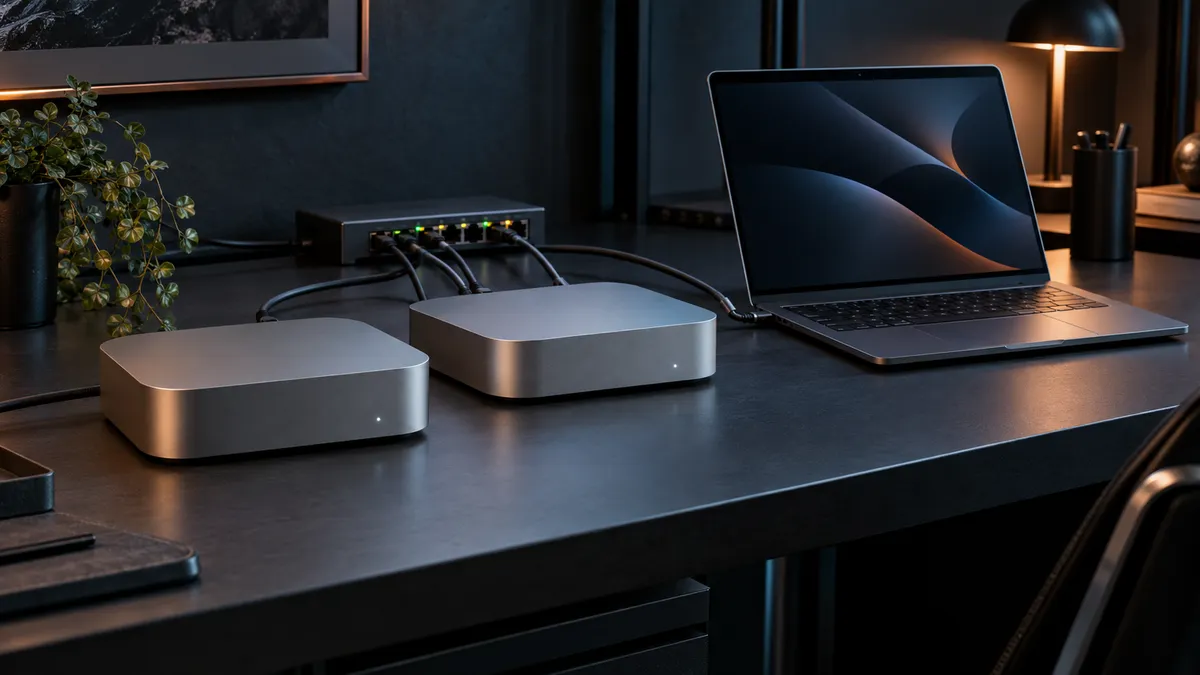
Affiliate disclosure: TokenByte may earn a commission if you buy through future gear links. This EXO article has no paid EXO relationship, and the generated feature image is an editorial illustration rather than test evidence.
Sources
Found something that needs correcting? Tell the editor. Research, estimates, and hands-on measurements should be identified in the article. Read our affiliate disclosure.