The AI PC sticker is useful, but it is not a local LLM buying plan.
That is the part buyers need to hear before the spec sheet wins. A laptop can have a 40-plus TOPS NPU, a polished Copilot+ badge, and excellent battery life, yet still be the wrong machine for the local AI job you actually care about. Another system can have a smaller marketing number and still be the better lab box because it has more usable memory, a supported GPU path, better cooling, or the software backend your tools already use.
The trap is treating NPU TOPS like VRAM. It is not. TOPS is a throughput number for certain low-precision AI operations under certain conditions. VRAM and unified memory decide what model fits. Memory bandwidth helps decide how quickly tokens move. Software support decides whether the accelerator is used at all. Cooling decides whether the machine can keep doing the work after the first demo.
That does not make NPUs fake. It makes them specific.
Microsoft describes Copilot+ PCs as Windows 11 hardware with a Neural Processing Unit capable of more than 40 trillion operations per second. Its own developer guidance also says the NPU needs software specifically programmed to use it, recommends Windows ML for access, and notes that models often need to be quantized into lower integer formats such as INT8 before they fit the NPU path. That is a very different promise from "this laptop is now a CUDA workstation."
Affiliate disclosure: TokenByte may earn a commission if you buy through future gear links. This guide is based on current vendor documentation and practical local AI setup design, not paid placement or TokenByte benchmark results.
Use this alongside the Build Picker, Recommended Gear, Mac mini local AI guide, ComfyUI GPU guide, and How We Test. TokenByte has not benchmarked the current crop of Copilot+ PCs for this article. Treat this as a buying filter, then measure your exact model, runtime, and prompt set before making a final workstation decision.
What an NPU is good at
An NPU is a specialized accelerator for machine learning workloads. In the AI PC world, the selling point is efficiency: run certain local AI features without waking up the CPU and GPU as hard, preserve battery life, and keep common user-facing features responsive. Think camera effects, background blur, noise cleanup, live captions, image effects, local search, small model inference, and app features that were built for the Windows AI stack.
That matters. A good NPU can make a laptop feel smarter without making it feel like a hot workstation. Microsoft lists Copilot+ features around local AI experiences, and its developer guide points to Windows ML, execution providers, Task Manager NPU usage, and tracing tools for developers who want to target the hardware directly. Qualcomm markets Snapdragon X Elite around a 45 TOPS Hexagon NPU and says it can run generative AI LLM models over 13B parameters on device. Intel says Core Ultra 200V systems combine CPU, GPU, and NPU capability for up to 120 total platform TOPS. AMD's Ryzen AI Max line lists up to 50 NPU TOPS alongside much larger CPU and integrated graphics choices.
That is real engineering. It is also narrower than the phrase "AI computer" makes it sound.
The home-lab question is not whether the NPU exists. The question is whether your local AI software uses it for your workload. If the app is built around CUDA, Metal, ROCm, Vulkan, or CPU inference, the NPU number may be background information instead of the main event.
What local LLMs usually care about first
For local LLMs, start with model fit.
A 7B model quantized to 4-bit is a different problem from a 14B model at long context, a 32B coding model, or a 70B model you want to run without constant offloading. The first may be pleasant on a modest laptop. The last turns into a memory planning problem immediately. The accelerator cannot help if the model, KV cache, and runtime overhead do not fit in a practical memory path.
That is why VRAM and unified memory keep showing up in TokenByte guides. Dedicated NVIDIA cards are attractive for many local AI users because CUDA support is mature and the memory is attached to a GPU designed for sustained compute. Apple Silicon is attractive because unified memory can give local model workloads more room than a small laptop GPU, and Metal support is common in tools like Ollama and llama.cpp. AMD can make sense when the exact runtime supports the exact chip through ROCm, HIP, Vulkan, or another documented path.
The NPU may still help some AI features. It just may not be the thing running your LLM server.
Look at current tool docs before buying. Ollama's hardware page highlights NVIDIA GPU selection, AMD support through ROCm and Vulkan, Apple GPU acceleration through Metal, and specific AMD Ryzen AI Max entries in its support tables. LM Studio recommends 16GB or more RAM on Mac, at least 16GB RAM on Windows, and at least 4GB dedicated VRAM for GPU use. llama.cpp lists CUDA for NVIDIA GPUs, HIP for AMD GPUs, Metal for Apple Silicon, SYCL for Intel GPU, Vulkan for GPU, OpenVINO in progress for Intel CPUs, GPUs, and NPUs, and Hexagon in progress for Snapdragon.
That tells you the practical truth: the most useful accelerator is the one your runtime uses today, not the one with the biggest label on the box.
Do not compare TOPS numbers blindly
TOPS numbers are easy to compare and easy to misuse.
A 45 TOPS NPU and a 1,000-plus AI TOPS GPU are not the same kind of product just because both use the same unit. The precision can differ. The supported operators can differ. The memory system can differ. The software stack can differ. The thermal target can differ. A laptop NPU is usually designed to sip power. A desktop GPU is designed to move a lot more data and burn a lot more power while doing it.
Even inside one machine, platform TOPS can mix CPU, GPU, and NPU figures into a bigger number. Intel's Core Ultra 200V announcement talks about up to 120 total platform TOPS across CPU, GPU, and NPU. That may be useful for understanding the whole chip. It is not the same as saying every local LLM app sees one 120 TOPS accelerator.
For buying, ask better questions:
- Does the app I use list this hardware path?
- Does it use the NPU, GPU, CPU, or a mix?
- Does the model format match the accelerator?
- How much memory is available to the runtime?
- What happens when the context window grows?
- Can I see accelerator usage in Task Manager, Activity Monitor,
nvidia-smi, logs, or the app itself? - Does performance stay steady after 20 minutes?
Those questions prevent the most common mistake: buying a beautiful AI laptop and then discovering your favorite local model is running on CPU because the NPU path is not supported by that runtime.
Where an AI PC makes sense
An AI PC makes sense when you want a good laptop first.
If your primary job is writing, research, office work, browser-heavy automation, video calls, travel, light local inference, and OS-level AI features, an NPU-equipped Windows machine can be a rational purchase. You get a modern processor, battery-oriented AI acceleration, and a platform that Windows is clearly building around. If the price is close to a comparable non-AI laptop, the NPU is a useful future-facing feature.
It also makes sense for developers who specifically want to build or test Windows ML, ONNX Runtime, Qualcomm QNN, Intel OpenVINO, AMD Vitis AI, or Copilot+ style local features. In that case the NPU is the target, not a bonus. You are buying the machine because you want to learn that path and measure it.
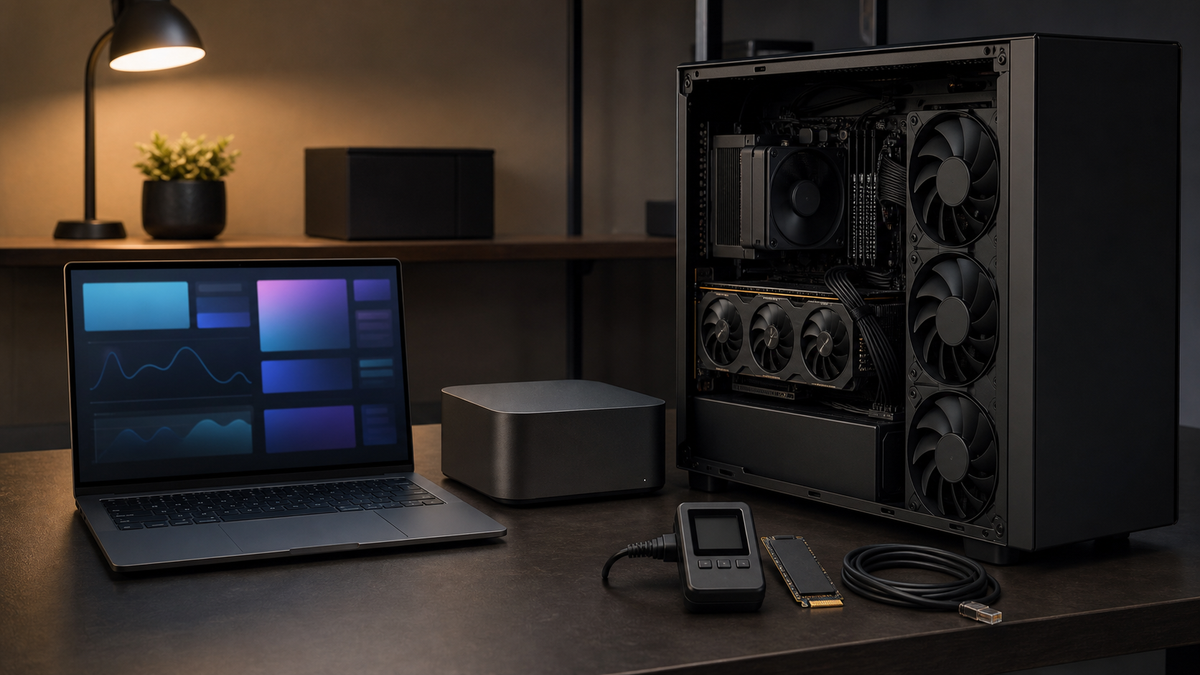
It can also be a good control-plane machine in a home lab. A slim Copilot+ laptop can sit on the desk, run dashboards, manage prompts, edit notes, remote into a GPU workstation, and handle light local tasks while the loud box does the heavy lifting somewhere else. That is not a failure. That is a clean division of labor.
The mistake is buying it as a quiet replacement for a workstation without checking whether your workload maps to it.
Where a Mac mini still makes more sense
A Mac mini is not an AI PC in the Windows marketing sense, but it can be a very good local AI desk machine.
Apple's current Mac mini specs list M4 and M4 Pro options with a 16-core Neural Engine, high-bandwidth unified memory, and small power and noise characteristics. The M4 model lists 120GB/s memory bandwidth. The M4 Pro configuration lists 273GB/s memory bandwidth, 48GB unified memory as a configuration option, Thunderbolt 5 on the Pro models, and optional 10Gb Ethernet. Those details matter more for a practical lab than an NPU sticker.
If your workflow is MLX, llama.cpp Metal, Ollama on Apple Silicon, prompt testing, lightweight agents, document work, audio, automation, and quiet daily use, a Mac mini can be a smarter buy than a Windows AI laptop. It stays on the desk, takes fast external storage, can be ordered with 10Gb Ethernet, and does not pretend to be a CUDA image-generation tower.
The tradeoff is also clear. If your workload is built around NVIDIA CUDA, large diffusion jobs, custom CUDA tools, or maximum GPU throughput per dollar, the Mac mini is not the direct replacement. It is the quiet utility box, not the brute-force CUDA box.
That is the TokenByte way to think about it: choose the machine by constraint.
Where an RTX workstation still wins
For many local AI labs, the boring answer is still an RTX workstation.
If the work is CUDA-first, image-heavy, multi-user, benchmark-driven, or tied to tools that clearly support NVIDIA best, the GPU box is the center of gravity. An RTX 3090, 4090, or 5090 class build is not elegant like a thin laptop. It needs airflow, power planning, storage planning, and sometimes ear patience. But the software path is clear for a huge number of local AI tools.
This is especially true when you care about sustained work. A laptop NPU is built for efficient bursts and OS-integrated features. A desktop GPU is built to sit under load. That difference shows up when you queue jobs, run long contexts, generate batches, compare models, or serve more than one user in the house.
Do not overbuy the GPU either. A used 24GB card can be the right answer for a serious hobbyist. A newer 32GB card can be the right answer when the budget and power plan fit. A smaller card can be fine if your models are small and your expectations are honest. The point is not that RTX always wins. The point is that the decision should be based on workload fit, not a generic AI badge.
The buying checklist
Before buying an AI PC for local LLM work, fill this out in plain English:
| Question | Good answer |
|---|---|
| What model do I actually want to run? | Name the model size, quant, and context length. |
| What runtime will I use? | Ollama, LM Studio, llama.cpp, MLX, Open WebUI backend, or a specific app. |
| What accelerator does that runtime support today? | CUDA, Metal, ROCm, Vulkan, CPU, Windows ML, OpenVINO, or something else. |
| How much memory does the workload need? | Include model, KV cache, OS overhead, browser, and other apps. |
| Is the NPU used by this app? | Confirm in docs, logs, Task Manager, or a measured run. |
| What happens when the accelerator is not used? | Know the CPU fallback speed before relying on it. |
| Can the machine sustain the workload? | Check thermals, fan noise, power limits, and chassis size. |
| What is the better same-budget alternative? | Compare against Mac mini, used RTX desktop, RAM upgrade, or storage. |
If you cannot answer those questions, do not buy based on the NPU number. Buy the best general computer you need, or wait until you can test the actual app.
Three simple buyer profiles
Buy an AI PC laptop if you want portability, battery life, Windows AI features, video-call cleanup, light local inference, and a modern daily computer. Treat the NPU as a useful specialized accelerator, not as a promise that every local model will fly.
Buy a Mac mini if you want a quiet desk machine for Apple Silicon local AI, MLX or Metal-backed tools, automation, prompt testing, and a clean control plane. Spend more attention on unified memory, Ethernet, external storage, and the exact apps you plan to run.
Build or buy an RTX workstation if you want CUDA-first performance, larger local workloads, sustained image or model jobs, more predictable accelerator support, and room to upgrade. Spend more attention on VRAM, cooling, PSU, PCIe layout, storage, and noise.
There is no universal winner because "local AI" is not one workload. A laptop assistant, a coding model, a diffusion workflow, a NAS-backed model library, and a family prompt server all stress different parts of the system.
The practical rule
Do not ask, "How many TOPS does it have?"
Ask, "What runs my workload, where does the model fit, and can I prove the accelerator is actually being used?"
That one change saves money. It keeps the AI PC label in its proper place. It also makes room for the right answer, which may be a Copilot+ laptop, a Mac mini, a used RTX box, a RAM upgrade, or no purchase at all.
An NPU is a useful tool when the software targets it. It is not a magic local LLM accelerator. Buy the machine that matches the job, then measure it like a lab instead of trusting the sticker.