September 14 update
This guide was refreshed to remove stale price context and add public source links for UPS ratings, runtime behavior, USB shutdown support, Mac shutdown options, Synology, TrueNAS, and Network UPS Tools. TokenByte has not published measured UPS runtime tests for this page. Treat the model references as buying filters, not lab-tested recommendations.
Buy a UPS for controlled shutdown, not for finishing a long AI run during an outage. That one sentence will save more money than pretending a desktop battery backup turns a GPU workstation into a generator.
A UPS will not make a model faster. It will not give a 24GB GPU more memory. It gives the machine enough clean battery time to survive a short power flicker or stop safely before a half-written output, model cache, database, or NAS volume gets punished by a hard cutoff.
Affiliate disclosure: TokenByte may earn a commission from future hardware links, at no extra cost to you. This article is based on current public documentation and editorial analysis, not sponsored UPS testing.
The fast verdict
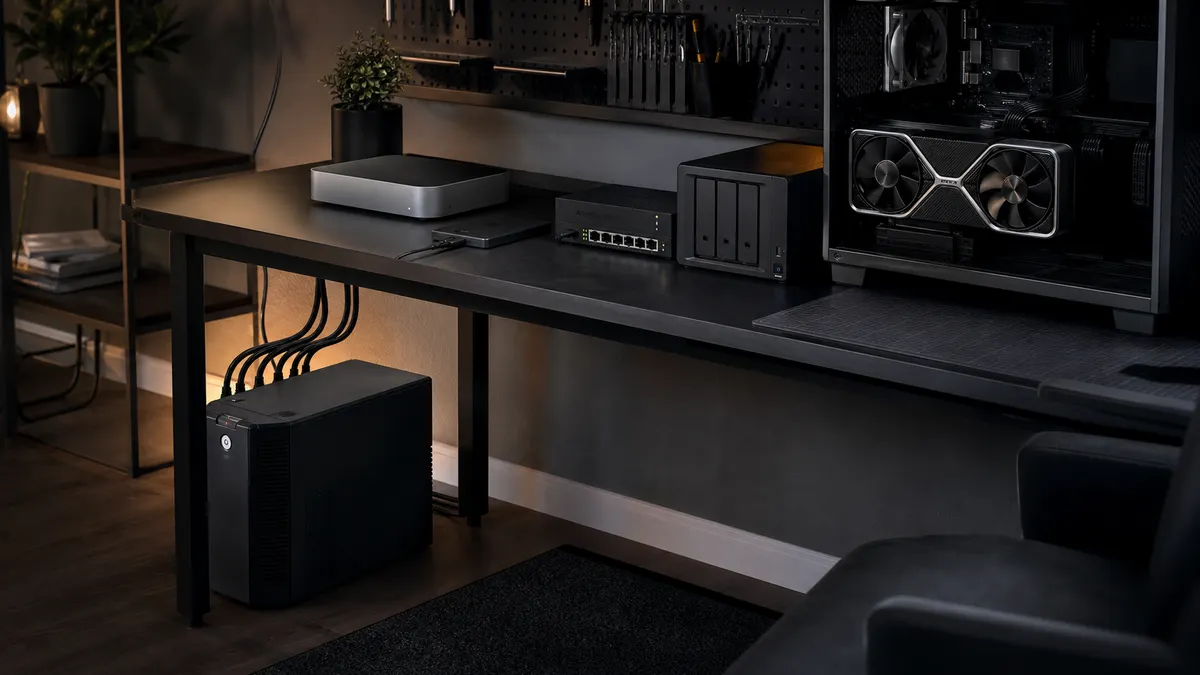
For a Mac mini, NAS, router, switch, and external SSD desk, a 1000VA to 1500VA line-interactive UPS can be a practical first protection layer. For an RTX workstation, especially a heavy GPU tower under load, that same class is usually a shutdown buffer rather than meaningful runtime.
That is fine. A clean two-minute shutdown is worth more than an optimistic runtime number.
Use this buying rule:
- Measure wall power before shopping.
- Keep the router, switch, NAS, and primary machine on battery.
- Move monitors, speakers, lamps, chargers, and nonessential USB hubs off the battery outlets.
- Use USB, SNMP, Synology UPS Server, TrueNAS UPS, or Network UPS Tools so shutdown is automatic.
- Test the outage while you are standing there.
If the UPS cannot tell the machine to shut down, it is only half installed.
Measure watts before you shop VA
UPS marketing leans hard on VA ratings. Your lab cares about watts.
A 1500VA desktop UPS does not mean 1500 watts. CyberPower lists the CP1500PFCLCDa at 1500VA and 1000W, with pure sine-wave output, twelve outlets, USB HID, and listed runtime of 2.5 minutes at full load or 10 minutes at half load. Schneider Electric lists the APC BR1500MS2 at 1500VA and 900W with ten outlets, six on battery backup, AVR, USB charging ports, and a user-replaceable battery. Eaton lists the 5S1500LCD at 1500VA and 900W with line-interactive topology and a USB HID port.
Those numbers are useful. They are not magic.
Before buying, plug the actual lab into a wall-power meter and write down three numbers:
- Idle watts with the lab ready.
- Active watts during the normal local AI workload.
- Peak watts during the worst workload you might leave unattended.
Do not size from the PC power supply label. A 1000W PSU does not mean the box draws 1000W all day. It also does not mean a 900W UPS is comfortable if the GPU, CPU, drives, and monitor spike together. The honest number is measured at the wall, with your hardware and your workload.
Runtime charts are warnings, not promises
UPS runtime changes with load, battery age, temperature, battery health, and how much load is on the battery outlets. A new battery under lab conditions is not the same thing as a three-year-old unit under a warm desk.
That is why the CyberPower full-load runtime number is useful: it punctures the fantasy. At full load, this class of UPS may offer only a few minutes. That is enough if the shutdown plan is tight. It is not enough if you expect to finish a long render, model download, or embedding job.
The right target for most local AI desks is five to ten minutes for the equipment that matters: router, switch, NAS, Mac mini or control node, and maybe the active workstation. If a heavy GPU tower drags runtime below the shutdown window, split the plan. Put network and storage on one UPS. Put the workstation on another UPS sized for its measured load. Or decide that the workstation only needs enough time to stop jobs and power down while the network side stays up longer.
Do not chase a runtime number until you decide what stays alive.
What belongs on battery
The battery side is for equipment that must stay alive long enough to save state, flush writes, and coordinate shutdown.
Put these on battery first:
- Router and modem, if the internet connection is useful during short outages.
- Network switch, if the NAS, Mac mini, or workstation need it for shutdown signals.
- NAS or storage server.
- Primary Mac mini, mini PC, or automation box.
- One workstation if it is doing valuable long jobs.
Move these to surge-only or a separate strip:
- Monitors.
- Speakers.
- Desk lights.
- Battery chargers.
- Extra displays.
- Nonessential USB hubs.
- Anything with a heater, motor, laser printer, or high inrush load.
The mistake is treating the UPS like a larger power strip. The second mistake is plugging everything into battery outlets because the plugs fit. A UPS overloaded by a monitor and a GPU tower is not protecting the lab. It is making the failure more confusing.
The shutdown signal matters
A UPS that only beeps is better than nothing. A UPS that sends a shutdown signal is the real plan.
For a Mac desktop, Apple documents UPS shutdown options in System Settings. With supported USB-connected UPS devices, macOS can shut down after a power failure based on time or battery level. That is the clean path for a Mac mini control node.
For a NAS, use the platform tooling instead of hoping the battery lasts. Synology documents UPS support for standby or safe-mode behavior, plus network UPS server use in supported setups. TrueNAS documents its UPS service around Network UPS Tools and points users to the NUT hardware list and device resources.
For Linux boxes, mixed labs, and anything more custom, Network UPS Tools is the place to start. NUT provides UPS drivers, a network server, and client tools so one USB-connected host can inform other machines that power is gone. Its hardware compatibility list is worth checking before assuming a cheap unit will report the data you need.
The practical pattern looks like this:
- Plug the UPS USB cable into the NAS, Mac mini, or always-on Linux box.
- Configure that machine as the UPS-aware host.
- Let other machines monitor it over the LAN if your platform supports it.
- Set shutdown thresholds conservatively.
- Test that every important machine actually reacts.
Do not wait for the first real outage to discover that the USB cable was still in the box.
Three buying filters that actually matter
For a Mac mini plus NAS desk, look for a line-interactive UPS around 1000VA to 1500VA with USB HID support, enough battery-backed outlets, user-replaceable batteries, and a watt rating comfortably above the measured active load. Pure sine-wave output is useful if the UPS may later support a workstation or active-PFC power supply, but do not use that phrase as a substitute for sizing.
For an RTX workstation, prioritize watt rating and shutdown software over outlet count. A 1500VA, 900W to 1000W desktop UPS can make sense for a measured workstation that stays below the limit and only needs controlled shutdown. If the tower can exceed the UPS watt rating, do not buy smaller and hope. Reduce the battery load, separate systems, or move to a larger UPS class after checking circuit limits, plug type, noise, battery cost, and physical placement.
For a NAS plus network core, compatibility and maintenance matter. The UPS may live under a desk for years. It should be easy to test, easy to silence, easy to replace batteries in, and compatible with the NAS or NUT path you plan to use.
Current model pages are useful for capacities and features, but street prices and stock move too often for this guide to be a price tracker. Check the seller, warranty, battery replacement cost, return window, and exact model number before buying.
Run the outage drill
Installing the UPS is not the finish line. The finish line is a boring test.
Pick a low-risk time. Stop important jobs. Make sure backups are current. Then pull wall power from the UPS, not from the machine. Watch what happens.
Record the useful details:
- How many watts the UPS reports, if it reports load.
- How long before the first warning.
- Whether the Mac, NAS, workstation, or Linux box sees battery mode.
- Whether shutdown starts at the threshold you configured.
- Whether storage comes back cleanly.
- Whether the network UPS clients heard the signal.
- Whether the UPS recharges normally.
The first drill should be small. You are proving the wiring, not testing the end of the battery. Once controlled shutdown works, write the result down next to the rest of the lab notes.
This is where a desk full of gear starts becoming a lab. The difference is not the price of the GPU. It is whether the boring failure paths have been rehearsed.
What I would buy first
If the lab is a Mac mini, NAS, switch, router, and external SSD setup, I would start with a 1500VA desktop UPS with USB monitoring and user-replaceable batteries, then keep the battery side disciplined. The CyberPower CP1500PFCLCDa, APC BR1500MS2, and Eaton 5S1500LCD class is the right area to compare because the watt ratings, USB support, and outlet layouts fit many home-lab desks.
If the lab is an RTX tower, I would measure first. If the active local AI workload sits well below the UPS watt limit and the goal is controlled shutdown, the same class may still be enough. If the box is already near the limit, I would not trust a desktop UPS to carry it. Separate the network and storage from the GPU tower, or buy a larger UPS after checking the circuit and physical constraints.
If the lab runs unattended jobs, I would not buy another storage drive before solving shutdown. A hard power cut during a model download is annoying. A hard cut during writes to the NAS or scratch disk is worse. A hard cut that takes down the router, NAS, automation node, and workstation in the wrong order is exactly the kind of failure that turns a weekend setup into a recovery job.
Use TokenByte's wall-power meter plan before sizing the battery, the backup restore drill before trusting storage, and the Build Picker if you are still choosing the machine class. The UPS is not exciting. That is the point. It is insurance for the runs you are tired of babysitting.
Research sources
Found something that needs correcting? Tell the editor. Research, estimates, and hands-on measurements should be identified in the article. Read our affiliate disclosure.