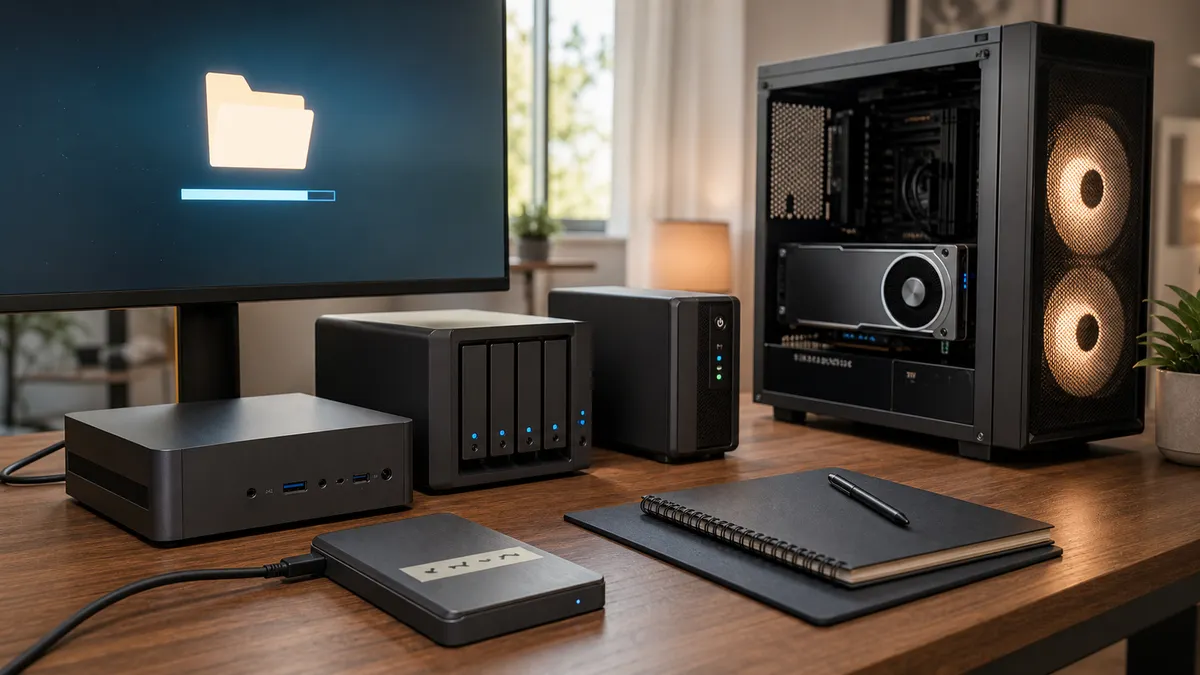
A backup you have never restored is a comfort object.
It may be a useful comfort object. It may even be a well-configured one. The drive spins up, the NAS job reports green, the cloud bucket grows, Time Machine says it completed, and the folder full of ComfyUI workflows looks safer than it did yesterday.
But the first real question is not "did the backup run?"
The first real question is: can you get the lab back to work when something breaks?
That is a different test. A local AI lab has awkward state in more places than a normal desktop: Ollama model folders, ComfyUI model paths, custom nodes, workflow JSON, Docker volumes, environment files, scripts, prompts, logs, output folders, NAS shares, and one or two external SSDs you bought during a storage panic. If the restore plan only covers "my documents," it may miss the parts that make the lab useful.
Affiliate disclosure: TokenByte may earn a commission when affiliate links are added to this guide later. That does not change the recommendation here: buy backup gear only after a restore drill proves what is actually at risk.
The Fast Verdict
Run one small restore drill before buying another drive, NAS bay, cloud plan, or backup app.
Pick a disposable test folder. Restore a real slice of the lab into it. Then prove the restored files can do useful work:
- one Ollama model or model definition can be found
- one ComfyUI workflow opens with its required files accounted for
- one Docker-backed service has its persistent volume restored or recreated
- one automation script can read its input and write its output
- one model inventory or README explains where the restored files came from
Do not restore over the working lab for a drill. Restore into a clean target and compare. The goal is confidence, not drama.
If your lab is still one quiet Mac and a small local model, this can be simple. If it has a Mac Mini, an RTX workstation, a NAS, scheduled automations, and a growing model library, the restore drill becomes part of the system. TokenByte's local AI update bench advice pairs well with this: updates need a rollback path, and backups need a restore path that has been used at least once.
Backups Fail In The Gaps
Most backup plans look better on paper than they do during recovery.
The gap is usually not the backup tool. It is the assumption about what counts as the lab.
For local AI, the important files are spread across categories:
| Lab state | Why it matters |
|---|---|
| Models and checkpoints | Expensive to redownload, easy to duplicate, sometimes tied to licenses or revisions |
| Workflows and prompts | Small files, high value, often more personal than the model itself |
| Custom nodes and packages | Can break when versions drift or repositories disappear |
| Docker volumes | Persistent state may not live in the project folder |
| Caches and outputs | Some are disposable, some are the actual work product |
| Environment notes | Ports, paths, service names, and GPU settings are hard to recover from memory |
Ollama's own FAQ is a good reminder that model state is not imaginary. It documents default model locations on macOS, Linux, and Windows, and explains that OLLAMA_MODELS can move that storage to another directory. If one machine uses the default path and another uses an external SSD, your backup plan has to know both.
ComfyUI has a similar storage reality. Its model documentation explains that model files usually live under ComfyUI/models/, with categories such as checkpoints, VAEs, LoRAs, ControlNet models, and upscalers. It also documents extra model paths through extra_model_paths.yaml, which is useful for shared libraries but easy to forget during a restore.
That is why the first drill should not be "restore everything." The first drill should be "restore the smallest piece that proves the map is real."
Decide What Is Disposable
Not everything deserves the same protection.
A healthy local AI lab separates data into three buckets:
- must restore
- nice to restore
- safe to recreate
Must-restore data includes workflow files, scripts, prompts, notes, model inventory, paid or hard-to-find assets, custom configuration, service compose files, and any outputs that represent finished work. This is the material that makes the lab yours.
Nice-to-restore data includes model files that are large but available again from a known source. They are worth backing up if bandwidth, time, or availability is painful. They are less scary when your inventory records source, revision, license, and reason kept.
Safe-to-recreate data includes temporary caches, failed outputs, throwaway experiments, build artifacts, and scratch folders that only exist to keep the daily machine fast. TokenByte's scratch-drive plan is useful here: scratch storage should protect the boot disk, but it should not quietly become the only copy of important work.
The restore drill should expose bad bucket decisions. If a supposedly disposable folder contains the only copy of a working prompt chain, it is not disposable. If a backup includes 600 GB of stale outputs but misses the tiny workflow file that created them, it is protecting the wrong thing.
The One-Hour Restore Drill
Keep the first restore drill boring enough that you will actually do it.
Use this runbook:
- Pick one recent useful workflow or automation.
- Write down the files it needs: models, workflow JSON, prompts, scripts, config, input sample, output target.
- Restore those files into a clean test folder or spare machine.
- Do not point the restored copy at the production output folder.
- Start the smallest relevant service.
- Run one safe smoke test.
- Check whether the output lands where expected.
- Note every missing path, permission, package, model, and environment variable.
- Fix the backup plan.
- Repeat until the restore works from notes, not memory.
That last line matters. A restore process that only works because you remember the magic path today will fail when you are tired, away from the desk, or six months into a different setup.
The smoke test should match the lab. For a local text automation, restore one sample input and prove the script creates the expected Markdown output. For ComfyUI, open a workflow and confirm the model references are accounted for before running a heavy job. For a Docker service, restore or recreate the volume and confirm the service sees its persistent data.
Docker's volume documentation is worth reading before assuming a project folder backup is enough. Docker describes volumes as persistent data stores managed by Docker, and its docs include backup and restore examples that use a helper container with --volumes-from. In plain terms: if a service writes important state into a Docker volume, backing up only the compose file is not a restore plan.
Time Machine Is Useful, But It Is Not The Whole Lab
Mac users have a good first tool available.
Apple's Time Machine support docs describe backups to an external disk or network disk, and Apple's current troubleshooting note says a Time Machine backup disk should ideally have at least twice the storage capacity of the Mac. That is practical advice for a Mac Mini local AI desk, especially if the machine is always on and mostly handles text models, automations, documents, and service config.
But Time Machine is not a complete mental model for every TokenByte-style lab.
It may not cover a NAS share the way you think. It may not include files excluded from backup. It may not protect a Linux GPU tower. It may not tell you whether a ComfyUI workflow still resolves its model paths after the restore. It may not preserve the intent behind an external model drive unless you documented that drive.
Use Time Machine where it fits. Then add a restore drill around the AI-specific pieces:
~/.ollama/modelsor the customOLLAMA_MODELSpath- ComfyUI workflows, user data, models, and extra model path config
- automation folders, prompts, and sample inputs
- Docker compose files and volumes
- NAS share permissions and folder structure
- notes that explain what should be restored first
The point is not to distrust Time Machine. The point is to stop treating a general desktop backup as proof that a multi-machine AI lab can recover cleanly.
NAS Backups Need A File-Level Test
A NAS can make local AI backups feel serious.
It can also become a very organized place to store untested assumptions.
Synology's Hyper Backup restore documentation, for example, distinguishes restoring data from existing tasks, restoring from .hbk repositories, restoring individual files or folders with Hyper Backup Explorer, and relinking backup tasks on another Synology system. That is the kind of recovery detail worth knowing before the NAS is the only place you expect answers.
For a TokenByte-style model library, the first NAS restore drill should be file-level:
- restore one workflow file
- restore one small config file
- restore one model inventory note
- restore one representative model or checksum file
- confirm permissions from the Mac Mini or workstation
Do not start with the largest checkpoint in the library. Start with the file that proves the path, permissions, and restore interface are understood. Then test a larger file when the small drill passes.
This connects directly to the NAS model library guide. A NAS is excellent for shared model archives, backups, datasets, and multi-machine organization. It is not automatically a fast active scratch drive, and it is not automatically a tested restore plan.
Off-Site Means Someone Else's Failure Domain
The old 3-2-1 backup rule still earns its keep because it names the failure domains.
Backblaze's 3-2-1 guide summarizes the pattern as three copies of data, stored on two different media or devices, with one copy off-site. That is still a useful baseline for home-lab AI, especially once the lab stores prompts, client-safe notes, finished outputs, model inventories, and automation history you would not want to lose.
For local AI, the off-site copy does not have to include every huge model file on day one. It should include the small, high-value files that rebuild the lab:
- inventory
- workflow JSON
- scripts
- prompts
- compose files
- setup notes
- licenses and source URLs
- screenshots or exported settings where useful
Large model files are a tradeoff. If they are easy to redownload and your inventory is accurate, backing up the source and revision may be enough. If they are hard to find, modified, licensed, or tied to a paid workflow, they may belong in the protected set.
This is where buying guidance becomes simple. Use TokenByte's recommended gear mindset: buy the bottleneck you can name. If the restore drill fails because there is no second local copy, buy a drive. If it fails because every copy is in the same room, add off-site backup. If it fails because the NAS is slow but the data is safe, do not confuse performance annoyance with data loss risk.
Restic, Borg, And Other Tools Are Only As Good As The Drill
Tools like restic and Borg can be excellent in technical hands.
The important part is not the logo. It is the restore workflow.
restic's documentation includes restore, mount, snapshots, repository checking, pruning, scripting, environment variables, and JSON output. Borg's documentation includes extraction and dry-run behavior. Those capabilities are useful because they let a home-lab operator build a repeatable process instead of clicking around and hoping.
But a command that exists in documentation is not the same as a restore you have performed.
If you use a command-line backup tool, keep a short local runbook next to the backup config:
- where the repository lives
- how credentials are provided
- how to list snapshots
- how to restore into a test folder
- how to check integrity
- what paths are excluded
- what to do if the NAS is unavailable
Do not put secrets in the runbook. Do put enough structure in the runbook that future-you knows which command to run and where the output should land.
What To Buy, Wait On, Or Skip
Buy an external SSD if the restore drill proves the daily machine has no quick local recovery path. For a Mac Mini lab, a known-good external drive can be the difference between "rebuild tonight" and "start from zero."
Buy NAS capacity if the model library is larger than one machine, shared by multiple boxes, and already organized enough to back up intelligently. If the model folder is still a junk drawer, inventory first.
Buy off-site backup when the lab contains work you would miss after theft, fire, drive failure, accidental deletion, or a bad sync. Start with high-value small files if full model backup is too expensive.
Buy a UPS when power interruptions can corrupt work, stop long jobs, or interrupt always-on services. It is reliability gear, not backup gear, but it protects the backup and restore process from avoidable shutdowns.
Wait on more storage if the restore drill mostly reveals poor notes. Documentation is cheaper than another 4 TB drive.
Skip any backup product that cannot explain restore clearly before checkout. The purchase is not finished until you know how to get files back.
The Restore Receipt
After the drill, write a tiny receipt.
Use this format:
| Field | Example |
|---|---|
| Date | 2026-07-23 |
| Source backup | NAS job, Time Machine disk, restic repo, external SSD |
| Restore target | Spare folder, spare SSD, test machine |
| Files restored | Workflow, model note, compose file, sample input |
| Smoke test | Script ran, workflow opened, service started |
| Missing pieces | One model path, one permission, one env var |
| Next fix | Add config folder to backup and update README |
This pairs with TokenByte's how we test rule: separate measured evidence from researched context. The researched context says what tools can do. The restore receipt says what your lab actually recovered.
The Bottom Line
Local AI backups are not glamorous until they save the lab.
The goal is not to back up every byte forever. The goal is to know what matters, protect it in the right place, and prove that recovery works before a real failure turns the desk into a guessing game.
Run one restore drill. Fix the missing paths. Save the receipt. Then decide whether the next purchase should be an SSD, a NAS upgrade, off-site backup, a UPS, or nothing at all.
That is how a backup stops being decorative and starts being part of the lab.
Found something that needs correcting? Tell the editor. Research, estimates, and hands-on measurements should be identified in the article. Read our affiliate disclosure.