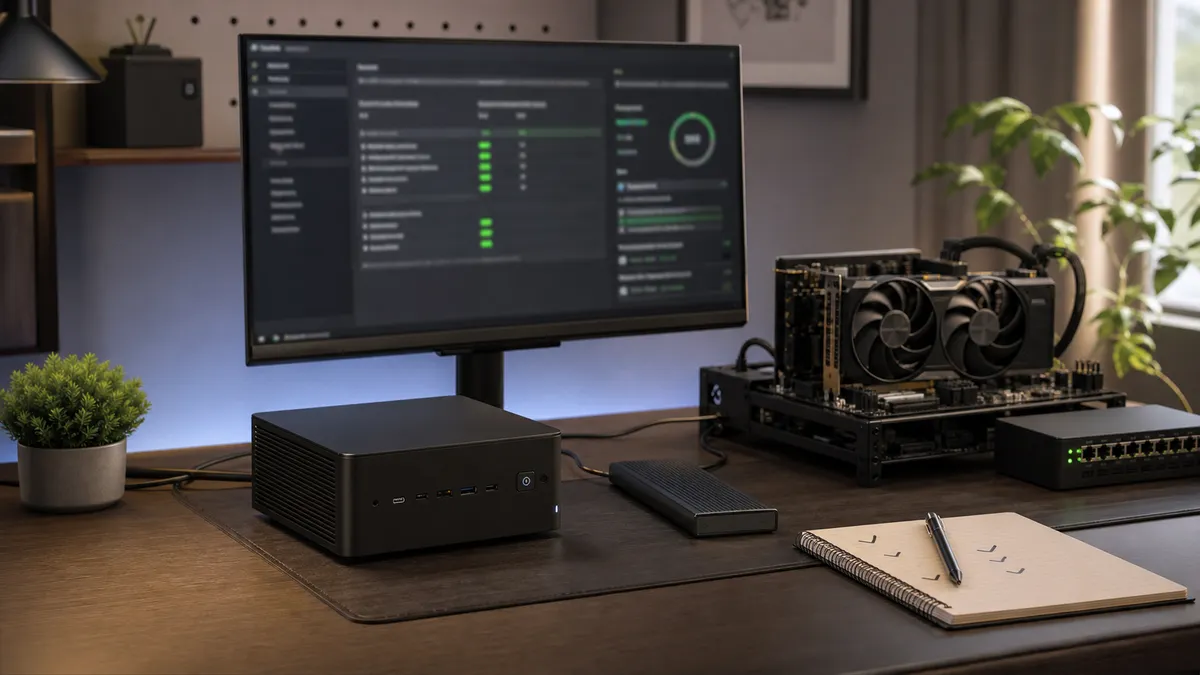
The most expensive local AI upgrade is not always a GPU.
Sometimes it is the Saturday you lose because an innocent update changed a Python package, a custom node stopped loading, a CUDA wheel no longer matches the driver, or the service that handled yesterday's notes now fails before breakfast. Nothing dramatic happened. You clicked update, pulled latest, restarted a container, or reran an install script because that is what the docs said to do.
Then the daily lab became the test lab by accident.
That is fine when the machine is just a toy. It is not fine when the Mac Mini runs quiet note cleanup, the RTX box handles image workflows, a NAS stores models, and local automations have become part of the household routine. Once the lab has a real job, updates need a landing zone that is not the machine you depend on.
The fix does not have to be enterprise change management. It can be a spare SSD, a tiny mini PC, an old GPU box, or a clone of the main environment that gets abused before the daily setup does. Call it an update bench: a small place where you test the next Ollama, ComfyUI, CUDA, PyTorch, container, and model change before trusting it.
Affiliate disclosure: TokenByte may earn a commission when affiliate links are added to this guide later. That does not change the recommendation here: prove an update on cheap staging hardware or a spare drive before using an upgrade as an excuse to buy a bigger machine.
Updates Break at the Boundaries
Most local AI update failures happen between layers.
The app update itself may be fine. The problem is the edge where it touches Python, PyTorch, CUDA, custom nodes, model files, drivers, container runtimes, GPU access, or a script that assumed yesterday's behavior.
A useful update bench should test those edges:
- Can the service start?
- Can it see the GPU or Apple Silicon backend?
- Can it load the model you actually use?
- Can it run one short text request?
- Can it run one real image workflow?
- Can it write outputs to the expected folder?
- Can your automation call it through the same endpoint?
- Can you roll back without rebuilding the whole machine?
This is not about fear of updates. Updates matter. They bring bug fixes, security fixes, model support, UI improvements, and performance work. The point is to stop doing first-run testing on the only box that has the working setup.
Build the Bench Smaller Than the Lab
Do not duplicate the whole home lab on day one.
Start with the part most likely to hurt:
- a spare boot SSD for the RTX workstation
- a small mini PC for always-on services
- a second virtual environment for Python-heavy tools
- a Docker Compose stack that mirrors production service names
- a copy of one ComfyUI workflow and its required models
- one Ollama model that represents daily use
The staging bench can be slower than the main machine. It only needs to catch breakage before the daily machine does. A used mini PC, spare NVMe enclosure, or older GPU box may be enough if it can run the same service shape.
The buying guidance is boring but useful: spend first on reversibility, not speed. A spare SSD that lets you boot a cloned setup is often worth more than a faster part you cannot safely test. A small always-on box can be useful if it lets you validate containers, endpoints, health checks, and storage paths before the bigger GPU box gets touched.
Use the build picker only after you know what role the bench needs. If the update risk is mostly ComfyUI and CUDA, test near the GPU box. If the risk is routing, queues, dashboards, and lightweight services, a quiet mini PC may be the better staging machine. If the risk is model storage, pair this with the model inventory and backup plan before buying anything.
Snapshot the Environment Before Touching It
Before an update, write down what works.
At minimum:
- OS version
- GPU driver version
- CUDA version if relevant
- Python version
- virtual environment path
pip freezeoutput- app version or Git commit
- container image tags
- model names and paths
- one known-good test prompt or workflow
The official Python venv documentation is blunt in a helpful way: virtual environments are meant to be isolated and disposable, and they are not considered movable or copyable. That is a good mental model. Do not treat a working virtual environment like a family heirloom. Treat it like something you should be able to recreate.
The pip freeze documentation says it outputs installed packages in requirements format. It also notes that pip freeze reports what is installed; it does not compute a lockfile or a solver result. That distinction matters. A freeze file is a receipt, not proof that the next install will resolve the same way forever.
Still, the receipt is valuable. When an update breaks a custom node or backend, knowing yesterday's installed packages beats guessing from memory.
Keep the snapshot next to the benchmark log habit. The benchmark log says how the lab behaved. The update snapshot says what changed.
Treat ComfyUI Like a Real Software Stack
ComfyUI is easy to underestimate because it looks like a visual workspace.
Underneath, it is still code, Python dependencies, frontend packages, workflow templates, custom nodes, model paths, and sometimes CUDA-sensitive packages. The official ComfyUI update documentation separates update paths for desktop, portable, and manual installs. For manual installs, it describes the plain sequence: activate the environment, pull the latest code, install or update requirements, then restart.
The same documentation warns that the more thorough portable dependency update script can reinstall all Python dependencies and may cause conflicts, break custom nodes that rely on specific package versions, or overwrite manually configured packages. That warning belongs on the wall of a local AI lab.
On the update bench, test one real workflow:
- the checkpoint or model family you use
- the usual resolution
- one LoRA or ControlNet path if that is part of daily work
- the output directory
- any custom nodes the workflow needs
- the same browser endpoint or API call your scripts use
Do not call the update safe because the UI opened. A broken custom node can hide until the exact workflow runs.
If the bench fails, good. That is the bench doing its job. Record the failing node, dependency, workflow, model path, and startup log. Then decide whether to fix, pin, wait, or roll back before the main machine gets touched.
Ollama Needs a Smoke Test, Not a Vibe Check
Ollama updates are usually straightforward, but they still deserve a small test.
The Ollama FAQ says macOS and Windows automatically download updates and require a restart to apply them. On Linux, it says to rerun the install script. The same FAQ documents operational settings such as OLLAMA_MAX_LOADED_MODELS, OLLAMA_NUM_PARALLEL, and OLLAMA_MAX_QUEUE, and explains that parallel request processing can increase memory needs because required RAM scales with parallel requests and context length.
That gives the bench a simple checklist:
- does
ollama serveor the app service start? - does the daily model load?
- does a short prompt return?
- does a longer-context prompt still fit?
- do the concurrency settings still behave as expected?
- does your router, queue, or automation endpoint still reach it?
The test does not need to be fancy. Send one boring prompt that should always work. Then send one prompt shaped like real use: a local document summary, coding note, transcript cleanup, or agent step. If the first works and the second fails, the update did not pass.
Do not test with private data. The staging prompt should have the same shape as real work without exposing personal files, client material, credentials, medical records, or private notes.
GPU Updates Need Driver Discipline
CUDA problems are where casual update habits get expensive.
NVIDIA's CUDA minor version compatibility documentation says CUDA 11 and later support minor version compatibility within a major release family, subject to minimum driver versions and feature limits. The current table in that documentation lists CUDA 13.x with a minimum driver version of 580, CUDA 12.x with a minimum driver version of 525 and an upper range below 580 for minor compatibility, and CUDA 11.x with a minimum driver version of 450 and an upper range below 525. Newer drivers are supported through backward compatibility, but the feature and PTX caveats still matter.
That is not a recommendation to chase every driver. It is a recommendation to record the driver before changing the Python stack.
PyTorch is a good example of why. The PyTorch release page currently notes that version 2.11 uses CUDA 13.0 for the default PyPI wheel, with separate index URLs for CUDA 12.8 and CUDA 12.6 wheels. That kind of packaging detail can decide whether a local AI environment works after an update.
On an RTX update bench, record:
nvidia-smidriver output- CUDA version reported by the tools you use
- PyTorch version and CUDA build
- whether the container can see the GPU
- whether the actual workload runs, not just imports
For containerized setups, NVIDIA's Container Toolkit installation guide says the NVIDIA driver must be installed on the host, and its Docker configuration path uses nvidia-ctk runtime configure --runtime=docker followed by a Docker daemon restart. That host boundary is easy to forget. A container can be perfectly built and still fail if the host driver/runtime side is wrong.
Do the scary part on the bench first.
Give Containers Health Checks That Mean Something
Containers make updates cleaner, but they do not remove the need for testing.
A container that is "up" can still be useless. The process may be running while the model failed to load, the GPU is missing, the storage mount is empty, or the API is returning errors.
Docker Compose supports service health checks. The Compose services reference shows fields such as test, interval, timeout, retries, start_period, and start_interval. That is enough to make a local AI service prove it is alive in a way your automation can see.
For an update bench, a useful health check is not just "port open."
Better checks include:
/api/tagsor a lightweight model list for an Ollama service- a tiny inference request to a staging endpoint
- ComfyUI queue or history endpoint availability
- a storage mount check for required model folders
- a GPU visibility check inside the container
Keep the health check cheap. Do not make every restart generate an image or run a long LLM prompt. The health check should catch obvious failures; the smoke test should catch workflow failures.
Keep One Rollback Path You Have Actually Used
A rollback plan that has never been tested is a hope.
Pick one rollback method:
- boot from the previous SSD
- restore a snapshot
- check out the previous Git commit
- reinstall from a freeze file
- redeploy the previous container image tag
- move the service endpoint back to the old machine
Then test it once.
This pairs with TokenByte's backup and restore plan. Backups are not real until restore has been tried. Update plans are not real until rollback has been tried.
For ComfyUI, the official update docs include Git-based version switching and rollback language. For containers, the rollback may be as simple as using the previous image tag. For an Ollama utility machine, it may be booting from a known-good external drive or delaying the app restart until the bench passes.
The important part is muscle memory. When an update fails at 9 p.m., you do not want the first rollback attempt to also be a research project.
A Practical Update-Bench Runbook
Keep the first runbook short.
- Record the current working environment.
- Clone or recreate the service on the bench.
- Apply the update only on the bench.
- Start the service and capture logs.
- Run one tiny health check.
- Run one real smoke test.
- Compare against the known-good benchmark note.
- Decide: ship, wait, pin, fix, or roll back.
- Update the main machine only after the bench passes.
- Keep the rollback path open until the daily machine has passed its own smoke test.
That sounds formal, but it can take fifteen minutes once the bench exists.
The discipline is mostly about not lying to yourself. "It launched" is not a test. "The workflow ran, the model loaded, the GPU was visible, the output landed in the right folder, and the automation endpoint still worked" is a test.
What to Buy, Wait On, or Skip
Buy a spare SSD or external NVMe enclosure if the daily machine is hard to roll back. Reversible boot media is boring until it saves the weekend.
Buy a small mini PC if the lab has always-on services that need staging: routing, dashboards, queues, search, health checks, automation workers, or lightweight Ollama jobs. It does not need to be powerful if the job is service validation.
Buy nothing if the current risk is poor notes. Start with snapshots, version records, and one smoke-test script.
Wait on a new GPU if the update bench would only exist to justify the purchase. A staging GPU is useful when it catches CUDA, driver, workflow, or custom-node failures. It is wasteful if the real problem is that the main setup has no rollback path.
Skip blind dependency updates on the daily machine. If the documentation warns that a full dependency reinstall can break custom nodes or overwrite custom packages, believe it enough to test first.
The goal is not to make a home lab feel corporate. The goal is to keep it useful.
One spare bench. One environment receipt. One smoke test. One rollback path. Then update the machine you actually rely on.
Found something that needs correcting? Tell the editor. Research, estimates, and hands-on measurements should be identified in the article. Read our affiliate disclosure.