RTX 5060 Ti 16GB
Best new starter CUDA card for readers who want local AI without jumping straight to a 24GB flagship.
A useful workstation starts with the task you cannot finish. Find the constraint, compare the options, and keep the rest of your money.
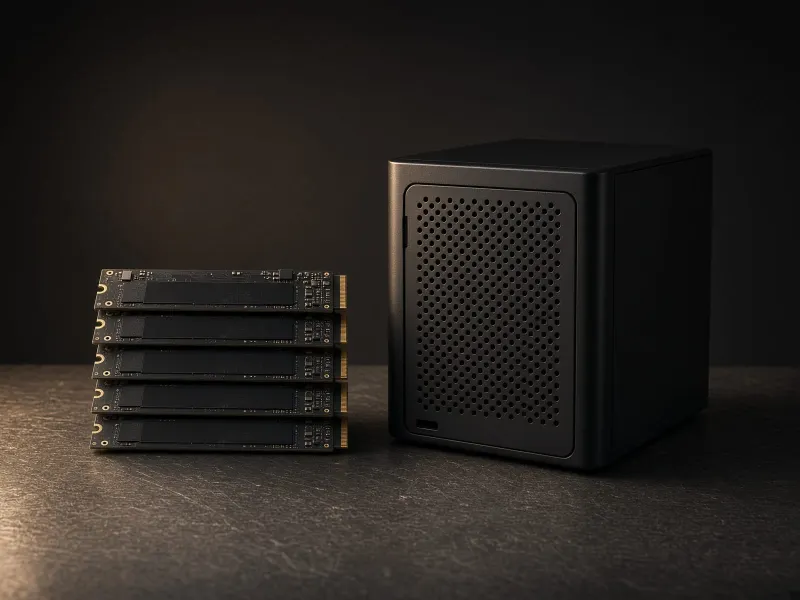
These are researched buying categories, not a ranking of products we have benchmarked. Confirm the exact configuration, compatibility, current price, and return policy with the seller.
Start with one category. Each guide explains the tradeoff behind the purchase.
| Priority | Buy this when | Best first link | Reason not to buy yet |
|---|---|---|---|
| 1. Storage | You are saving models, checkpoints, LoRAs, transcripts, outputs, and benchmark notes. | 2TB+ SSD path | You already have a fast, organized model drive. |
| 2. Quiet base machine | You want local models, file processing, dashboards, and automations to run every day. | Mac Mini path | Your current computer is already always-on and quiet enough. |
| 3. System RAM | You multitask with model tools, browser dashboards, datasets, VMs, or CPU-offloaded local models. | 64GB DDR5 path | You only run one lightweight app and already have 32GB. |
| 4. GPU workstation | You have an inference, image, video, training, or VRAM-heavy workflow that fails on your current setup. | GPU buying path | Your existing hardware or a small cloud test already does the job. |
| 5. Networking | You move models between machines, run a NAS, or want shared datasets and backups. | 2.5GbE / 10GbE path | Everything lives on one machine and transfers do not bother you. |
| 6. Reliability | You run long jobs, scheduled automations, or an always-on home-lab service. | UPS path | You only run short manual experiments. |
Best new starter CUDA card for readers who want local AI without jumping straight to a 24GB flagship.
Worth a look only when discounted below newer 16GB options. The value is VRAM, not raw speed.
Used CUDA learner card for smaller local models, transcription, basic image work, and proving a workflow on a budget.
Strong VRAM-per-dollar experiment card, but better for hands-on users than people who want the easiest CUDA path.
Best value target for 24GB VRAM if the seller, thermals, and return protection check out.
Premium 24GB option when speed matters more than used-market value and the build budget is healthy.
Flagship 32GB option for buyers who need the fastest consumer GPU and can tolerate brutal street pricing.
Quiet local AI machine for Ollama, LM Studio, automation, dashboards, and file workflows.
The least glamorous but most useful upgrade for model libraries, outputs, and datasets.
The comfortable tier for model libraries, creator outputs, local datasets, and benchmark archives.
Fast external NVMe storage for Mac Mini labs, model folders, ComfyUI outputs, and portable benchmark libraries.
High-end direct-attached storage for newer machines where TB4 becomes the bottleneck.
Shared model archive, backups, datasets, workflow files, and RAG document storage for more than one machine.
The easiest network upgrade when a NAS or second workstation enters the lab.
PCIe, Thunderbolt, or SFP+ adapters for giving one workstation a fast connection to the NAS.
For serious NAS workflows, big model moves, editing from network storage, and multi-machine labs.
Segment local agents, automation boxes, and test services away from family laptops, phones, and core NAS data.
Required when you want tagged VLANs, trunk ports, isolated lab ports, and cleaner home-lab growth.
Put wireless AI devices, test laptops, and lab tablets on a separate SSID mapped to the AI VLAN.
Required for stable GPU builds, especially if you plan to run long local jobs.
Enough for a budget AI PC, smaller local models, light creator tools, and normal desktop use.
The default recommendation for a serious local AI tower with GPU tools, datasets, browsers, and model managers open.
For heavier multitasking, virtual machines, CPU-offloaded LLM experiments, and creators who keep huge projects open.
On Apple Silicon, memory is shared by the CPU and GPU, so buy more upfront if local models are the point.
GPU AI workloads punish cramped cases. Cooling affects stability and noise.
Worth it for always-on Mac Mini automations and long GPU jobs.
Keeps Mac Mini labs clean when you add external SSDs, monitors, and peripherals.
| RAM tier | Best for | Buy this way | Avoid |
|---|---|---|---|
| 32GB DDR5 | Budget starter AI PCs, 8-12GB GPUs, light Ollama/LM Studio, basic ComfyUI learning. | Use a simple 2x16GB kit if price matters more than future expansion. | Calling it future-proof for a serious GPU workstation. |
| 64GB DDR5 | The best default for local AI towers, 16-24GB GPUs, model tools, browser dashboards, and multitasking. | Prefer a stable 2x32GB kit. DDR5-6000-class kits are a sensible mainstream target when priced sanely. | Overspending on extreme RGB/speed bins instead of more capacity or SSD space. |
| 96GB DDR5 | Heavy creator workflows, local AI plus editing, VMs, datasets, and people who keep many tools open. | Use 2x48GB when your motherboard supports it and the price jump over 64GB is reasonable. | Buying it before you know your workload actually spills past 64GB. |
| 128GB DDR5 | Serious workstation users, CPU-offloaded model experiments, large dev environments, and long-running local services. | Check motherboard QVL/support carefully. Stability beats headline speed at this capacity. | Cheap mixed kits, four-stick instability, or assuming RAM replaces GPU VRAM. |
| Mac unified memory | Quiet Mac Mini labs, Apple Silicon local LLMs, always-on tools, and people who cannot upgrade later. | Buy the memory you will need at purchase time. For local AI, 24GB is a better floor than 16GB, and 48GB is the more comfortable Mac Mini AI target. | Buying the base 16GB Mac if local models are the main reason for the machine. |
| Drive tier | Best for | Buy this way | Avoid |
|---|---|---|---|
| 2TB internal NVMe | First AI PC upgrade, OS drive, apps, active models, and scratch folders. | Use a reputable PCIe 4.0 drive with good thermals. 2TB is the practical floor; 4TB is more comfortable for ComfyUI. | Small 500GB/1TB drives if you plan to collect checkpoints, LoRAs, outputs, and datasets. |
| 4TB+ internal NVMe | Serious GPU towers, large ComfyUI libraries, video/image outputs, and benchmark archives. | Prioritize sustained performance, warranty, and heat management over headline peak speed. | Running hot Gen5 drives without airflow just because the spec sheet looks better. |
| Thunderbolt 4 / USB4 NVMe | Mac Mini labs, portable model libraries, fast backups, and moving outputs between machines. | Use a 40Gbps enclosure and a quality NVMe drive. This is usually the sweet spot for external AI storage. | Cheap 10Gbps enclosures sold as “fast” when you expect Thunderbolt-class transfers. |
| Thunderbolt 5 SSD | Newer high-end Macs and PCs that can use more than TB4 bandwidth for direct-attached storage. | Buy only when the computer, enclosure, cable, and SSD all support the faster path. | Paying TB5 prices for a TB4 or USB 10Gbps host. |
| NAS hard drives / SSD NAS | Shared model archive, backups, datasets, RAG documents, media, and multi-machine home labs. | Use NAS-rated drives, redundancy, and a real backup plan. SSD cache is nice, but not a substitute for enough network bandwidth. | Treating a NAS as the fastest active ComfyUI scratch drive unless the network is built for it. |
| Network tier | Best for | Buy this way | Avoid |
|---|---|---|---|
| 2.5GbE switch | First home-lab upgrade, Mac/PC/NAS setups, and faster backups without going full 10G. | Choose enough ports for the NAS, workstation, Mac Mini, and router. Unmanaged is fine for simple labs. | Buying another 1GbE switch when model files and backups are already slow. |
| 10GbE adapter | One fast workstation-to-NAS path for huge model libraries and frequent dataset moves. | Use 10GBASE-T if you want familiar Ethernet cabling, or SFP+ DAC if the devices are close together. | Adding 10GbE to one machine while the NAS or switch still tops out at 1GbE. |
| 10GbE switch | Multi-machine labs, NAS editing, shared AI storage, and serious backup workflows. | Plan ports first: GPU tower, NAS, main desk machine, and one spare uplink. Watch fan noise in small rooms. | Rack gear that is loud, power-hungry, and miserable near a desk. |
| NAS with 2.5GbE / 10GbE | Shared storage, Docker services, RAG document pools, backups, and home-lab services. | For AI storage, network speed and drive bays matter more than flashy “AI NAS” branding. | Buying a 1GbE-only NAS as the main model archive for multiple machines. |
| Wi-Fi 7 / strong router | Laptops, tablets, admin dashboards, and general home coverage. | Use Wi-Fi for convenience, but keep serious NAS/workstation transfers wired. | Expecting Wi-Fi to replace wired networking for huge model moves. |
| Zone | What goes there | Allow | Block by default |
|---|---|---|---|
| Main LAN | Family devices, phones, laptops, work computers, personal files. | Admin access out to the AI VLAN only from your trusted machine. | Inbound connections from the AI VLAN. |
| AI VLAN | Agent runner, local model server, ComfyUI test box, automation scripts, experiment machines. | Internet updates, DNS, NTP, and specific ports to model/NAS services you intentionally expose. | Random access to laptops, phones, printers, cameras, smart home gear, and router admin. |
| Storage VLAN | NAS, backup target, model archive, RAG document pool. | Only the AI services and admin devices that need storage access. | Broad read/write access from every lab box. |
| Guest / IoT VLAN | Smart home devices, TVs, guest Wi-Fi, untrusted hardware. | Internet only, plus the few controller exceptions you actually need. | Access to AI machines, NAS, desktops, and admin interfaces. |
| Hardware | Why it matters | Buying note | Skip if |
|---|---|---|---|
| VLAN-capable router/firewall | The router enforces inter-VLAN firewall rules, DHCP scopes, DNS, and default-deny boundaries. | Look for clear VLAN, firewall rule, and DHCP support. Fancy hardware matters less than rules you can understand. | Your current router already supports VLANs and firewall rules well. |
| Managed switch | Lets you assign lab ports, trunk VLANs to access points, and separate NAS/workstation traffic. | For most homes, a quiet managed 2.5GbE switch is more useful than loud rack gear. | You only have one wired AI machine and no NAS yet. |
| VLAN-capable Wi-Fi AP | Maps separate SSIDs to separate VLANs so lab/test devices do not share the main Wi-Fi network. | Use one SSID for trusted devices and one for lab/AI devices. Keep guest/IoT separate too. | Every AI device is wired and you do not need wireless lab access. |
| Backup target | If an agent or script damages files, backups are the difference between annoying and catastrophic. | Keep at least one backup path the AI VLAN cannot freely rewrite. | You have no important local data yet. |
Buy storage first if you are collecting models and outputs, a quiet base machine if you need always-on automations, and a GPU only after you prove a VRAM-heavy workflow.
It can be a strong value because 24GB of VRAM is useful for ComfyUI and larger experiments, but only if the used-card condition, airflow, and power plan check out.
Fast external storage is the first accessory. Add a dock if your desk needs it, and add a UPS if the Mac Mini will run scheduled jobs or always-on services.
Buy a Mac Mini or use an existing machine first for quiet text workflows and automation. Buy a GPU first only when image generation, ComfyUI, or VRAM-heavy experiments are the main workload.