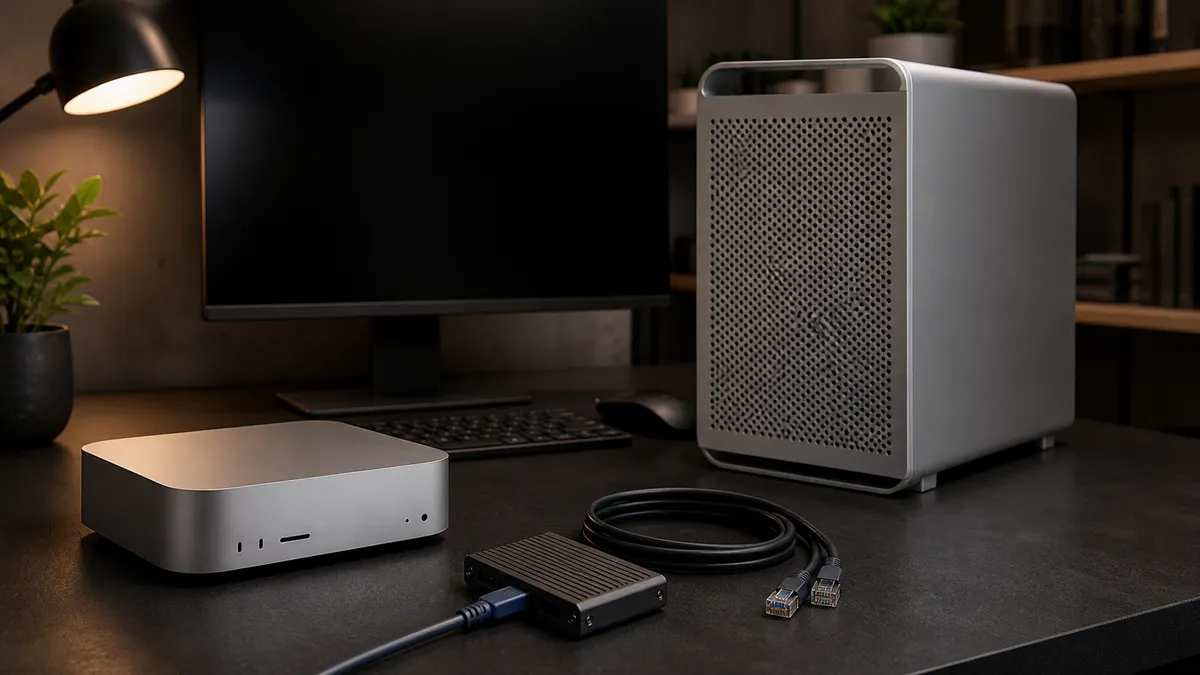
September 12, 2026 update: this guide was refreshed against current Apple, MLX, Ollama, and LM Studio documentation. Apple has announced new Mac mini and Mac Studio models, but availability begins September 22, 2026, and Apple's Mac Studio announcement says the 512GB unified-memory configuration is coming in late October. Treat this as a buying framework, not a benchmark or hands-on review of those configurations.
The practical answer is still this: buy the Mac mini when you want a quiet local AI desk machine, small-model utility box, or control plane. Buy the Mac Studio when unified memory is the actual limit and you can name the larger local model, context size, media workload, or always-on service that needs it. If the workload is CUDA-heavy image generation or GPU-serving first, compare an RTX box before spending Studio money.
That last sentence is the whole point. A larger Mac is not automatically the better local AI machine. Apple Silicon is excellent when the software path uses Metal, MLX, or a Mac-native runtime cleanly. It is less convincing when your real job is built around CUDA-only tooling, multi-GPU NVIDIA assumptions, or Windows/Linux GPU workflows.
Affiliate disclosure: TokenByte may earn a commission if you buy through links on this site. That does not change the recommendation: buy the memory, storage, and machine class your repeat workload can actually use.
Start With The Model, Not The Chip Name
The chip name is tempting because it feels like the decision. It is not. For local AI, the first question is what you plan to keep loaded.
If the work is a daily writing model, coding helper, summarizer, transcript cleanup tool, or local search assistant, a modest Apple Silicon machine can be a very useful box. Ollama's macOS documentation lists Apple M series Macs as supported with CPU and GPU support, and LM Studio recommends 16GB or more RAM while noting that smaller Macs should stick to smaller models and modest context sizes.
If the work is a larger LLM, multiple loaded models, long context, local video, batch media work, or several services running at once, the memory budget changes fast. Ollama's FAQ is blunt about this in practice: parallel request processing increases the effective context memory requirement, and loaded models have to fit in available memory. A machine that feels roomy for one chat can become tight when you keep an embedding model, a chat model, a browser, Docker, and a media workflow alive together.
That is why the Mac mini versus Mac Studio choice should begin with the workload sentence:
- "I need a quiet box for one local assistant and light automation."
- "I need a Mac desktop that can run larger MLX models while I keep normal apps open."
- "I need one machine to serve models to other devices."
- "I need CUDA for ComfyUI, PyTorch experiments, or a Linux GPU server."
Only one of those sentences clearly points to the largest Mac Studio. Some point to a Mac mini. Some point away from Apple Silicon entirely.
What The Current Mac Mini Buys You
Apple's current Mac mini specifications list M6 configurations starting with 16GB unified memory and configurable memory options up to 32GB on M6 models, plus an M5 Pro path starting at 24GB and configurable to 48GB or 64GB. The same spec page lists 10Gb Ethernet as a configure-to-order option and newer connectivity across the line.
That makes the Mac mini the practical local AI starting point for three jobs.
First, it is a quiet desk machine. If you want local AI available while you write, code, process notes, review transcripts, run Home Lab utilities, or use a browser-based UI, the mini is easy to leave on and easy to live with. Noise matters when the machine sits near your keyboard.
Second, it is a good control surface for a mixed lab. A Mac mini can run local text models, manage notes, operate dashboards, and talk to a separate RTX workstation over the network. In that arrangement, the mini does not need to win every benchmark. It needs to be stable, pleasant, and connected.
Third, it forces useful discipline. A 16GB or 24GB Mac mini will teach you to choose models, quantization, and context sizes deliberately. That is not a weakness if the goal is to learn what you actually use before buying a larger system.
The trap is buying the small Mac mini as if it were a compressed Mac Studio. It is not. Unified memory is shared by macOS, apps, GPU work, model weights, context, and caches. If your plan already depends on larger models staying resident, multiple services, or heavy media generation, the mini can become the wrong kind of cheap.
What The Mac Studio Buys You
Apple's current Mac Studio specifications put it in a different class. The M5 Max model starts at 36GB unified memory and can be configured to 48GB, 64GB, or 128GB with the higher GPU option. The M5 Ultra path starts at 96GB unified memory and can be configured to 256GB or, with the higher Ultra configuration, 512GB. Apple's Mac Studio specs also list much higher memory bandwidth than the mini line.
For local AI, that buys headroom before it buys magic.
A Mac Studio makes sense when the larger memory pool is the requirement, not a vanity upgrade. That can mean larger MLX models, larger context windows, heavier media workflows, more loaded models, or a service machine that has to keep local AI available while other work continues. MLX's unified memory documentation explains why this is attractive on Apple Silicon: arrays live in a unified memory pool that CPU and GPU can both access, instead of forcing the usual copy-between-devices mental model.
That architecture is useful. It does not erase software fit. If your stack uses MLX well, or if LM Studio, Ollama, and Mac-native tools cover your work, a high-memory Studio can be a clean on-device AI workstation. If the instructions you follow assume CUDA, NVIDIA drivers, Linux containers, and nvidia-smi, a Studio will not become an RTX workstation because the memory number is large.
The Studio is also the better Mac when the machine has to remain comfortable under load. More ports, more memory headroom, a larger thermal envelope, and less pressure to juggle every running app can matter more than peak marketing numbers. For a buyer who earns money with local models, lost time is part of the price.
The Memory Breakpoints That Matter
Do not treat unified memory like a storage tier. More is useful only when the workload can consume it.
At 16GB, think small local models, short context, notes, summaries, utility prompts, lightweight coding help, and one primary AI task at a time. This can still be valuable. The mistake is expecting a 16GB Mac to behave like a large-model workstation while also carrying normal desktop clutter.
At 24GB to 32GB, the experience becomes more forgiving. You can experiment with somewhat larger local models, keep more normal apps open, and avoid constantly closing tools to make room. This is a strong lane for a first serious Mac mini if the budget allows it.
At 48GB to 64GB, Apple Silicon becomes much more interesting for local LLM work. This is where an M5 Pro Mac mini or a lower Studio configuration can feel meaningfully different from entry machines. You still need to choose models carefully, but you have enough room to learn without hitting the ceiling immediately.
At 96GB to 128GB, the Mac Studio starts to look like a deliberate local AI workstation rather than a nice desktop that happens to run models. This is the zone for larger local models, longer context, and workflows where keeping tools loaded matters.
At 256GB or 512GB, the buyer should already know why the memory is needed. Apple's Mac Studio announcement describes the 512GB configuration as coming in late October, so on September 12 it should not be treated as an available shipped configuration. It is also too expensive to buy on hope. Use this class when your model and workflow plan already make the smaller machines look clearly inadequate.
The RTX Question Has To Stay In The Room
Mac buyers sometimes treat the choice as small Mac versus large Mac. Local AI adds a third path: Mac plus RTX.
For LLMs and Mac-native workflows, Apple Silicon can be elegant. For ComfyUI, many image-generation workflows, CUDA examples, NVIDIA-centered PyTorch work, and Linux GPU service setups, an RTX machine can be the more direct tool. Ollama's hardware page separates Apple Metal support from NVIDIA, AMD, and Vulkan paths. That separation matters because software support is not just a checkbox. It decides which installation guides, troubleshooting advice, and community examples apply to your machine.
The hybrid setup is often the most honest answer. Use a Mac mini as the quiet daily computer, notes machine, and control plane. Put the noisy GPU work on a separate RTX workstation or server when CUDA is the point. That can beat buying one expensive Mac Studio and asking it to satisfy every local AI fantasy.
The reverse is also true. If you do not need CUDA and you hate maintaining another box, a Mac Studio can be the cleaner choice. One quiet machine, one desktop, one storage plan, one update path, and no second workstation humming somewhere else. That simplicity has value.
Storage, Ports, And Networking Are Not Side Issues
Models are not just memory pressure. They are files, caches, logs, outputs, and backups.
A Mac mini can work well with external SSDs, especially for model libraries and project files, but do not confuse external storage with more usable model memory. A fast drive helps with capacity and load behavior. It does not make a model fit if the runtime needs more unified memory than the machine can spare.
The Mac Studio has the stronger high-end I/O story, especially when external storage, displays, network adapters, and professional peripherals pile up. Apple's current Studio specs include Thunderbolt 5 across the line, while the current mini line separates capabilities by configuration. For a local AI desk with one display and an external SSD, that difference may not matter. For a workstation with multiple drives, fast networking, displays, and capture or media hardware, it can.
Network planning matters if the Mac is part of a larger lab. Configure 10Gb Ethernet when the machine will regularly move model files, serve other devices, or work with network storage. Keep Wi-Fi for convenience, not as the backbone for everything important.
For a deeper storage decision, read TokenByte's external SSD model-drive guide. If you are still choosing the whole machine, start with the Build Picker before treating storage as the fix.
A Simple Buying Table
Use this as the first pass:
| Your situation | Better first choice | Reason |
|---|---|---|
| One local assistant, notes, writing, small models | Mac mini with enough memory | Quiet, efficient, inexpensive enough to learn on |
| Daily Mac desktop plus serious local LLM experiments | Higher-memory Mac mini or Mac Studio | Unified memory headroom matters |
| Larger MLX models, long context, multiple loaded tools | Mac Studio | Memory and bandwidth are the point |
| ComfyUI or CUDA-heavy image work | RTX workstation or hybrid setup | Software path is usually more direct |
| Quiet desk plus noisy GPU elsewhere | Mac mini plus RTX box | The Mac stays pleasant while the GPU does CUDA work |
| Professional local AI workstation with Mac-native tooling | Mac Studio | One machine, more headroom, cleaner ownership |
| Unsure what workload matters | Keep current Mac or buy modestly | Learn the workload before buying the expensive ceiling |
Do not read that table as a performance ranking. Read it as an ownership map. The right machine is the one whose limits match the work you repeat.
What I Would Buy
For a first local AI Mac, I would avoid the base-memory configuration unless the budget is strict and the tasks are clearly small. A little more unified memory is usually more useful than chasing the highest chip name at the lowest memory tier.
For a Mac mini buyer, I would treat 24GB or 32GB as the practical starting lane for local AI, and 48GB or 64GB as the interesting upper lane when the M5 Pro configuration fits the budget. That gives enough room for normal Mac life plus useful model experiments.
For a Mac Studio buyer, I would start by asking why the mini is not enough. If the answer is larger MLX models, longer context, heavier media work, or a real need to keep several local AI tools alive, the Studio is defensible. If the answer is only "it is faster," slow down and price the RTX alternative.
For a mixed Mac and GPU lab, I would keep the Mac quiet and make the GPU box earn its noise. The Mac mini can be the control surface. The RTX machine can run the CUDA-heavy workloads. That split is often more flexible than forcing one premium desktop to do every job.
Use the Mac mini local AI guide for the small-system path, the ComfyUI GPU guide when image workflows dominate, Recommended Gear for practical upgrades, and How We Test to separate measured results from researched buying guidance.
The best Mac for local AI is not the one with the newest chip label. It is the one with enough memory for the model you actually use, enough storage discipline to keep the lab sane, and enough software fit that you are not fighting the machine every weekend.
Sources Checked
- Apple Mac mini technical specifications
- Apple Mac Studio technical specifications
- Apple Mac mini August 2026 announcement
- Apple Mac Studio August 2026 announcement
- MLX unified memory documentation
- Ollama macOS documentation
- Ollama hardware support documentation
- Ollama FAQ on model memory and parallel requests
- LM Studio system requirements
- LM Studio app documentation
Found something that needs correcting? Tell the editor. Research, estimates, and hands-on measurements should be identified in the article. Read our affiliate disclosure.