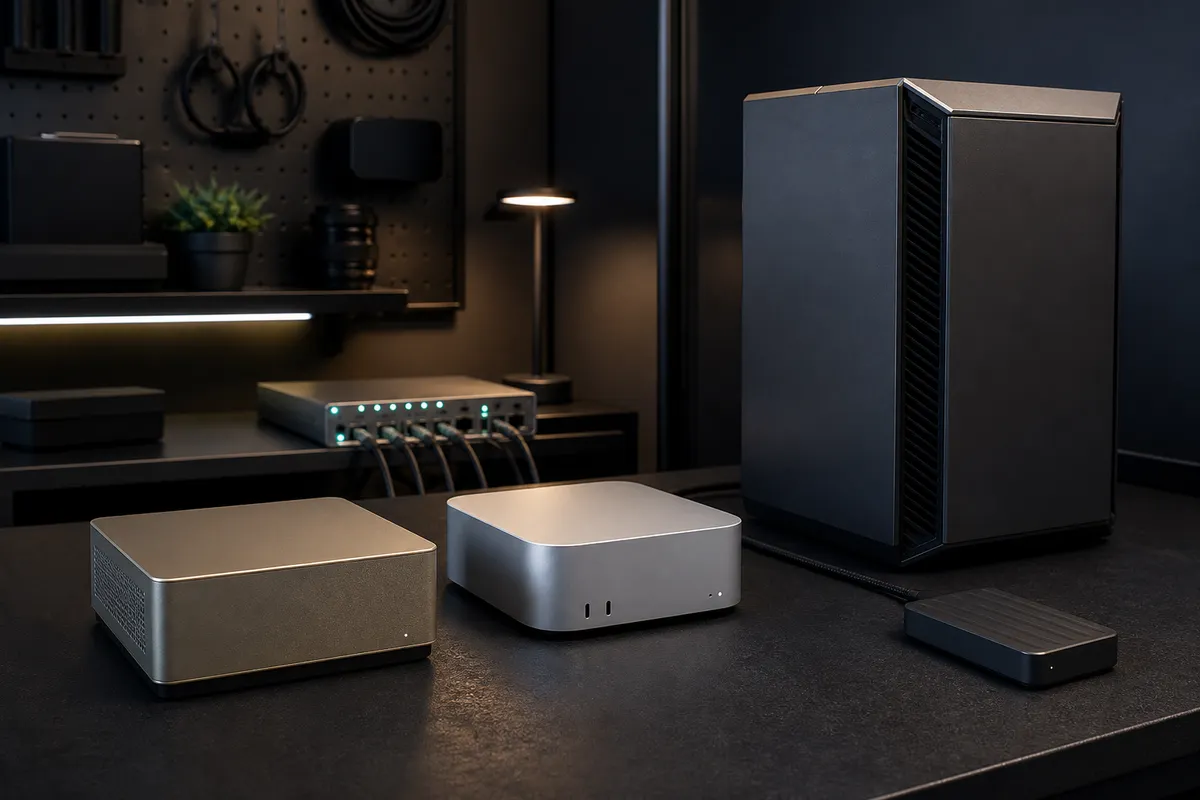
DGX Spark is finally concrete enough to discuss like hardware, not vapor.
That changes the buying conversation. A year ago, GB10-style desktop AI boxes were mostly a category to watch. Now NVIDIA has current DGX Spark hardware docs, release notes, a marketplace listing, software playbooks, and enough system detail to ask the real TokenByte question: what job does this box actually replace in a home lab?
The wrong answer is "everything."
DGX Spark is not a Mac mini with an NVIDIA sticker. It is not an RTX 5090 tower shrunk into a quiet cube. It is not a magic way to get data-center memory bandwidth under a monitor. It is a compact NVIDIA AI development appliance with 128GB of coherent unified memory, a GB10 Grace Blackwell superchip, CUDA, Docker-oriented playbooks, serious networking, and a price that makes casual buying advice irresponsible.
As checked on August 5, 2026, NVIDIA's marketplace lists DGX Spark at $4,699. NVIDIA's current hardware guide lists a 20-core Arm CPU, 128GB LPDDR5x unified memory, 273GB/s memory bandwidth, 1TB or 4TB NVMe storage depending on configuration, 10GbE, ConnectX-7, Wi-Fi 7, four USB-C ports, and a 240W external power supply. The release notes list DGX OS 7.5.0, driver 580.159.03, CUDA Toolkit 13.0.2, and a July 2026 memory-management update for GB10's unified memory architecture.
Those are real specs. They do not make it the default local AI purchase.
Affiliate disclosure: TokenByte may earn a commission if you buy through future gear links. This guide is based on current NVIDIA and Apple documentation plus practical local AI system planning, not paid placement or TokenByte hands-on DGX Spark benchmark results.
Use this alongside the Build Picker, Recommended Gear, Mac mini local AI guide, ComfyUI GPU guide, and How We Test. TokenByte has not benchmarked DGX Spark in the lab for this article. Treat this as a buying filter before you spend workstation money.
The fast verdict
DGX Spark makes sense when you want a compact, supported NVIDIA development box with large unified memory and a software stack built around local AI prototyping.
It makes less sense when your main job is cheapest GPU speed, gaming, casual local chat, beginner experimentation, or a workstation you can upgrade part by part over time.
The headline spec is 128GB unified memory. That is the reason to pay attention. It can matter for model work that is awkward on a 24GB or 32GB consumer GPU, especially when the supported software path fits your project. It also gives developers a small, purpose-built box for testing NVIDIA AI workflows without building a loud desktop tower.
But memory capacity is not the same as raw GPU throughput. NVIDIA's RTX 5090 Founders Edition specs list 32GB GDDR7 on a 512-bit interface, 21,760 CUDA cores, 3,352 AI TOPS, 575W total graphics power, and a 1000W reference system-power note. That is a very different machine class. It is bigger, hotter, more modular, and built around dedicated graphics memory and consumer workstation flexibility.
DGX Spark is the cleaner appliance. The RTX box is the blunt instrument. The Mac mini is the quiet utility machine. Buying gets easier when you stop forcing one of them to be all three.
What DGX Spark is actually selling
The interesting part of DGX Spark is not that it is small. The interesting part is the combination.
NVIDIA's hardware overview describes a compact system with a GB10 Grace Blackwell architecture, integrated GPU and CPU, 128GB LPDDR5x coherent unified memory, 273GB/s bandwidth, 10GbE, ConnectX-7, Wi-Fi 7, and support for AI models up to 200 billion parameters. The marketplace listing for the US configuration highlights 1 PFLOP of FP4 AI performance, 128GB coherent unified memory, ConnectX-7, 4TB NVMe storage, and the $4,699 price.
That package is aimed at developers who want local AI capability in an NVIDIA-managed shape. The software side matters as much as the silicon. NVIDIA's Spark playbooks include benchmark and setup paths for TensorRT-LLM, vLLM, SGLang, llama.cpp, image generation, and fine-tuning. The same guide expects Docker, NVIDIA Container Toolkit, and often a Hugging Face token for the workloads it walks through.
That is not the same buyer as someone who wants to download one desktop app, run a small local model, and never see a container command.
DGX Spark is most attractive when your work benefits from NVIDIA's supported stack. If the plan is "I want a reliable local box for NGC containers, TensorRT-LLM experiments, vLLM serving, model development, and appliance-like updates," the product starts to make sense. If the plan is "I want the cheapest way to make images fast," it gets harder to justify.
The memory story is real, but it has limits
The strongest practical argument for DGX Spark is memory headroom.
Local AI buyers keep running into memory ceilings. A 16GB card can be useful and still feel tight. A 24GB card is the value floor for many serious GPU labs, but it does not make every model or image workflow comfortable. A 32GB RTX 5090 gives more room, but it is still a dedicated VRAM box with all the case, power, heat, and street-price baggage that comes with a high-end GPU.
DGX Spark's 128GB coherent unified memory changes the shape of the problem. Instead of asking whether a model fits inside 24GB or 32GB of VRAM, the system is built around a larger shared memory pool. That is exactly why the product is interesting for larger local models, fine-tuning experiments, and developer workflows where memory capacity matters more than raw consumer GPU speed.
The limitation is bandwidth and workload fit. NVIDIA's DGX Spark hardware guide lists 273GB/s memory bandwidth. That is substantial for a compact system, and it matches Apple's M4 Pro Mac mini bandwidth figure, but it is not the same kind of memory system as high-end GDDR7 or HBM hardware. The point is not that one number wins everywhere. The point is that DGX Spark is built for a different constraint.
Buy it for the jobs where 128GB unified memory and a supported NVIDIA stack are worth more than a swappable desktop GPU. Do not buy it because "128GB" looks bigger than a graphics card spec.
Where the Mac mini still wins
The Mac mini remains the sensible answer for a lot of TokenByte readers.
Apple's current Mac mini specs list M4 models with 120GB/s memory bandwidth and M4 Pro models with 273GB/s memory bandwidth, up to 48GB unified memory, Thunderbolt 4 or Thunderbolt 5 depending on the chip, optional 10Gb Ethernet, low idle noise, and a tiny desk footprint. For daily local AI utility, that package is hard to beat.
If your real workflow is notes, documents, local search, light Ollama or MLX experiments, automation, audio, browser work, dashboards, and occasional model testing, a Mac mini can be the better machine because it is pleasant to own every day. It uses macOS. It fits normal desks. It can sit on all week without turning into a thermal project. It can connect to fast external storage and 10GbE when the lab grows.
DGX Spark does not erase that. It raises the ceiling for a different buyer.
Do not buy DGX Spark because you are bored with a Mac mini. Buy it because your actual work needs a compact NVIDIA AI box with more memory headroom and a different software path. If you mostly want a quiet control plane, the Mac mini is still the cleaner purchase.
Where an RTX workstation still wins
The RTX workstation is still the direct answer when you want maximum local GPU throughput, upgrade flexibility, and broad consumer-GPU software support.
The RTX 5090 is a good reference point because it shows the trade clearly. NVIDIA lists 32GB GDDR7, a 512-bit memory interface, fifth-generation Tensor Cores, 21,760 CUDA cores, 575W total graphics power, and a reference system-power note of 1000W. It also tells buyers to plan case clearance and power-cable space.
That is not subtle hardware. It is a serious desktop build.
The advantage is that it behaves like a desktop build. You can choose the case, PSU, motherboard, storage, cooling, GPU model, operating system, and upgrade path. You can build around a used RTX 3090, a 4090, a 5090, or whatever comes next. You can swap drives, add NICs, change fans, replace the card, or repurpose the machine.
DGX Spark is the opposite bargain. You get a compact system with a defined appliance-like shape and NVIDIA's software path. You give up the normal DIY workstation freedom.
For image-heavy workflows, consumer CUDA tools, gaming-adjacent workloads, and maximum speed per dollar, an RTX workstation may still be the better answer. For developer workflows that want compact NVIDIA-managed local AI with large unified memory, DGX Spark has a cleaner story.
The price changes the burden of proof
At $4,699, DGX Spark has to earn its desk space.
That price can be reasonable for a developer, consultant, studio, lab, or business that needs local prototyping and values the supported NVIDIA path. It can also be overkill for a hobbyist who has not proved a workload yet. The right comparison is not just "DGX Spark versus RTX 5090." The right comparison is total workflow cost.
Ask what else the same budget could buy:
| Same-budget alternative | Why it might be smarter |
|---|---|
| Mac mini plus fast storage | Better daily utility if most work is text, files, notes, and automation |
| Used 24GB RTX workstation | Better value if the workflow fits in 24GB and speed matters |
| RTX 5090 workstation | Better if 32GB dedicated VRAM and raw CUDA throughput are the constraint |
| NAS plus 10GbE plus current computer | Better if storage and sharing are the real bottleneck |
| Cloud GPU budget | Better if the workload is occasional, very large, or still undefined |
The practical rule is simple: if you cannot name the workload that benefits from DGX Spark specifically, do not buy it yet.
The software stack is part of the purchase
DGX Spark is not just a box of specs. The supported stack is part of what you are paying for.
NVIDIA's release notes matter here. The current 2026 notes show active system updates, including July memory-management changes for GB10's unified memory architecture and current software versions for DGX OS, the GPU driver, and CUDA Toolkit. The docs also note that those release versions apply to DGX Spark Founders Edition and that GB10-based partner systems may not receive updates at the same time.
That last detail matters for buyers. "GB10" and "DGX Spark Founders Edition" are not always interchangeable for update timing, support, storage configuration, price, or bundled software. If you are buying a partner GB10 system, read that vendor's page, warranty, support terms, and update path. Do not assume the NVIDIA Founders Edition release cadence applies perfectly to every partner box.
The playbooks also point toward a more technical owner than a normal desktop buyer. TensorRT-LLM, vLLM, SGLang, llama.cpp, Docker, model tokens, and benchmark scripts are powerful, but they are not magic buttons. DGX Spark is easier than building a Linux CUDA workstation from scratch in some ways, but it is still AI developer hardware.
If the person using it does not want to learn the stack, the expensive box will not save the project.
What to test before buying
Before spending DGX Spark money, write down the exact job.
Not "local AI." The exact job.
- Serve a specific model locally for development.
- Fine-tune or adapt a model with a known recipe.
- Run an NVIDIA NIM or TensorRT-LLM workflow for a client proof.
- Compare vLLM, SGLang, and llama.cpp behavior on the same prompts.
- Prototype local agents that need a supported NVIDIA stack.
- Keep sensitive development runs on local hardware instead of renting every test.
Then write down what would make the purchase a win:
| Question | Good answer |
|---|---|
| What model or workflow needs this box? | Name it before buying. |
| Why does a Mac mini fail? | Memory, NVIDIA stack, container path, or performance. |
| Why does an RTX tower fail? | Noise, size, power, maintenance, appliance needs, or unified memory. |
| What software path will you use first? | TensorRT-LLM, vLLM, SGLang, llama.cpp, NIM, or another documented route. |
| What result will prove it worked? | Latency, throughput, successful model load, private workflow, or delivery deadline. |
| What is the fallback if it disappoints? | Return window, resale plan, cloud fallback, or RTX tower plan. |
If those answers are vague, wait. DGX Spark is interesting enough to track, but the price is too high for curiosity alone.
The buyer profiles
Buy DGX Spark if you are a developer who wants compact NVIDIA AI hardware, expects to use the supported software stack, and has a memory-heavy local workflow that does not fit cleanly into a normal consumer GPU plan.
Consider it if you run a small studio, consultancy, research desk, or internal lab where local prototyping, privacy, repeatability, and support matter more than the cheapest parts list.
Skip it for now if you mostly want a quiet personal computer. A Mac mini is likely the better daily machine.
Skip it for now if you mostly want image-generation speed per dollar. A used 24GB card or RTX workstation path may still be more practical.
Skip it if the first plan is "I will figure out what to do with it after it arrives." That is how expensive hardware becomes furniture.
The practical rule
DGX Spark is a serious local AI option, not a universal upgrade.
It earns attention because 128GB unified memory, CUDA, a compact chassis, ConnectX-7, 10GbE, and NVIDIA's active 2026 software work create a real new lane between Mac mini utility boxes and large RTX workstations. It also earns skepticism because $4,699 is real money, the software stack expects a technical owner, and raw consumer GPU throughput still matters for many home-lab jobs.
Do not ask, "Is DGX Spark better?"
Ask, "Better than what, for which workload, under which support model, at what total cost?"
If the answer points to local NVIDIA development with large memory headroom, DGX Spark belongs on the shortlist. If the answer points to quiet daily use, buy the Mac mini path. If the answer points to raw CUDA speed, build the RTX box properly.
The best local AI lab is not the one with the newest category name. It is the one where every machine has a job and the expensive ones have proof.
Found something that needs correcting? Tell the editor. Research, estimates, and hands-on measurements should be identified in the article. Read our affiliate disclosure.