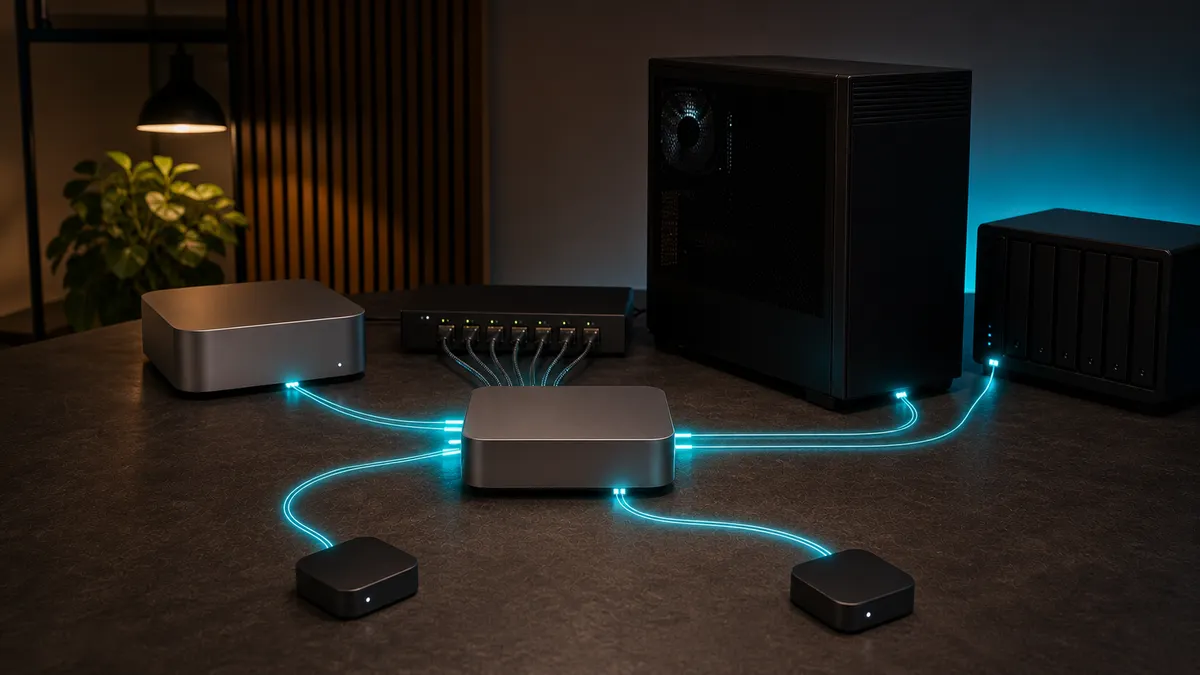
The first local AI automation is usually clean.
One script talks to Ollama. One app points at localhost:11434. One workflow knows which model to use. Then the lab grows. A note summarizer gets its own URL. A code helper uses a different model name. A dashboard calls an OpenAI-compatible endpoint. A test box runs llama.cpp on another port. Someone changes a model tag and three automations break in three different ways.
That is the moment to stop wiring every tool directly to every model server. A local AI API gateway gives the lab one front door. Apps talk to the gateway. The gateway routes requests to Ollama, llama.cpp, or another backend. Model names become aliases you control. Keys can be separated by workflow. Logs and failure points become easier to inspect.
This is researched home-lab guidance for July 3, 2026, not a TokenByte benchmark or hands-on review of LiteLLM, Ollama, llama.cpp, Caddy, Docker, a Mac Mini, or an RTX system. TokenByte has not measured gateway latency, throughput, VRAM behavior, reliability, or security hardening for the setup described here. Treat this as a practical architecture plan, then test it with your own models, machines, clients, and network rules.
Affiliate disclosure: TokenByte may earn a commission when you buy through links on this site. That does not change the recommendation here: build the gateway on the hardware you already own first. Buy a mini PC, Mac Mini, RTX workstation, RAM, storage, or networking gear only after you know whether routing, model fit, memory, throughput, or reliability is the real bottleneck.
The short version
A useful local AI API gateway does five jobs:
- gives apps one stable base URL
- hides backend model-server details
- maps friendly model names to real local models
- separates keys or access by workflow
- makes failures easier to trace
The gateway does not make a weak model smart. It does not make a 16GB GPU behave like a 32GB GPU. It does not make private services safe to expose to the internet. Its job is smaller and more useful: reduce endpoint sprawl before your home-lab automations become a pile of hard-coded URLs.
If you are still choosing the box that should host this, start with the TokenByte build picker. The Mac Mini local AI guide is useful for quiet always-on control-plane roles, the ComfyUI GPU guide keeps GPU expectations grounded, the recommended gear hub is where eventual buying decisions should land, and TokenByte's how we test page explains why researched setup guidance is separate from measured lab results.
Why a gateway belongs in the lab
Local AI setups often start as experiments, not systems.
That is fine until experiments become daily tools. A shortcut that summarizes notes, a small agent that reads a folder, a ComfyUI helper, a code assistant, a search prototype, and a family dashboard may all point at different model servers. Some use Ollama's native API. Some expect OpenAI-style /v1/chat/completions. Some need embeddings. Some need vision. Some should never be allowed to call the large model because it eats all available memory.
Without a gateway, every client learns too much about the backend:
- exact hostnames and ports
- model tags
- context-size assumptions
- API flavor
- fallback behavior
- which machine is currently running the service
That makes every future change expensive. Moving Ollama from a Mac Mini to a GPU box should not require editing every automation. Testing a llama.cpp server should not mean teaching every client a new base URL. Renaming a local model should not break a weekend of scripts.
A gateway turns those choices into lab configuration instead of application code.
The minimum architecture
Do not start with a giant production platform. Start with a small shape you can draw from memory:
apps and automations
        |
        v
local AI gateway
        |
        +--> Ollama on the quiet box
        |
        +--> llama.cpp on a test box
        |
        +--> optional cloud fallback, disabled unless needed
For many home labs, the gateway can live on the always-on control-plane machine. That might be a Mac Mini, a small Linux mini PC, or the same Docker host that already runs Open WebUI and monitoring. The GPU workstation can stay focused on inference. The gateway does not need to be the fastest machine in the room. It needs to be boring, reachable, logged, and easy to restart.
Keep the first version LAN-only. If a client is not on your private network or VPN, it should not reach the gateway. A local AI endpoint can expose prompts, documents, filenames, image descriptions, API keys, and operational habits. Treat it like infrastructure, not a toy web app.
Pick an API shape first
The most practical standard for local tools is an OpenAI-compatible API shape, because many clients already understand it.
Ollama's current documentation says it provides compatibility with parts of the OpenAI API so existing applications can connect to Ollama. The documented examples use a base URL like http://localhost:11434/v1/ with an API key value that is required by the client library but ignored by Ollama. The same page lists supported areas including chat completions, completions, models, embeddings, image generation as experimental, and Responses API support with caveats.
That does not mean every OpenAI feature works identically on every local backend. It means the interface is familiar enough that many tools can call it. You still need to test the exact features your workflow relies on: streaming, tools, vision, embeddings, JSON mode, context behavior, and error handling.
llama.cpp has a similar practical appeal. Its server documentation describes OpenAI-compatible routes for chat completions, completions, responses, embeddings, model info, and related endpoints, while also noting that some compatibility is based on what works for many apps rather than a promise that every detail matches the OpenAI spec.
The gateway should make these differences visible. It should not hide them so well that you forget which backend is actually serving the request.
Where LiteLLM fits
LiteLLM is one reasonable gateway layer for this job because its proxy is built around the idea of presenting an OpenAI-compatible interface while routing to many supported providers. Its proxy quick start lists Ollama and OpenAI-compatible endpoints among supported backends. Its Ollama provider documentation shows model prefixes such as ollama/ and ollama_chat/, including a proxy configuration pattern where a public model name maps to an Ollama-backed model.
That lets you create friendly names:
model_list:
  - model_name: lab-fast
    litellm_params:
      model: ollama_chat/<your-fast-model-tag>
      api_base: http://ollama-box:11434

  - model_name: lab-careful
    litellm_params:
      model: ollama_chat/<your-careful-model-tag>
      api_base: http://ollama-box:11434

  - model_name: cpp-test
    litellm_params:
      model: openai/local-gguf
      api_base: http://llamacpp-box:8080/v1
      api_key: not-needed
The exact model names above are examples, not recommendations. Use models you have pulled, tested, and licensed appropriately. The important idea is the alias. A client can ask for lab-fast without knowing whether that currently points to Ollama on the mini PC, llama.cpp on a test workstation, or a different local service next month.
This is also where a gateway starts to pay for itself. You can move a backend, rename a real model, or test a different server while keeping the client-facing contract stable.
Keep keys boring and separate
A local gateway should not share one magic key across every automation.
LiteLLM's virtual-key documentation describes key generation, model access control, spend tracking, user or team association, key blocking, and upper bounds for key-generation parameters such as max budget, duration, parallel requests, tokens per minute, and requests per minute. Some of those features need a Postgres database. For a serious gateway, that dependency is a tradeoff worth planning rather than discovering later.
In a home lab, separate keys are not just about billing. They are about blast radius.
Use one key for the note summarizer. Use another for the dashboard. Use another for experiments. Use a short-lived key for anything you are testing. If a script starts looping, you want to know which script did it. If you retire a workflow, you want to block that key without editing every other client.
Do not put gateway keys in screenshots, blog posts, Git commits, shell history snippets, or shared config examples. Local keys are still secrets, even if they do not bill a cloud account.
Do not publish ports casually
Docker makes it easy to expose a service, which is exactly why local AI labs need to slow down.
Docker's port publishing documentation explains that publishing a port forwards traffic from a host port to a container port. It also warns that, by default, a published port is published to all network interfaces, meaning traffic that reaches the machine can reach the published application.
That warning matters for an AI gateway. A published model endpoint is not just another dashboard. It may accept long prompts, private snippets, images, document text, and tool-call instructions. If you publish it on 0.0.0.0 without thinking, you may be making it reachable from more places than intended.
For a first version, bind narrowly:
services:
  gateway:
    image: ghcr.io/berriai/litellm:main-latest
    ports:
      - "127.0.0.1:4000:4000"
Then put a reverse proxy or VPN access layer in front only if you actually need other devices to reach it. Caddy's reverse-proxy quick start shows the basic pattern: listen on one address and proxy to another service. That is useful, but it is not a security plan by itself. You still need authentication, network rules, logging, and a reason for each client to have access.
If the gateway only serves local scripts on the same machine, keep it on localhost. If it serves the LAN, restrict it to the lab network. If it serves remote devices, prefer a private VPN or tunnel with explicit access rules over a public open endpoint.
Name models by job, not by hype
Model names inside the gateway should describe the job the client expects.
Bad names:
big-modelnew-modelgpu-modelbestdefault
Better names:
notes-fastcoding-localjson-smallvision-deskrag-answerdraft-careful
The client should not care that notes-fast currently maps to a specific 8B local model. It should care that the endpoint is cheap enough, fast enough, and reliable enough for short note cleanup. If you change the backend after testing, the client name can stay the same.
This also prevents a common local AI failure: using one impressive model for everything. Some workflows need speed. Some need structured output. Some need a long context. Some need a vision model. Some need to avoid the GPU because ComfyUI is busy. A gateway gives you a place to encode those decisions.
Build a tiny acceptance test
Before migrating every automation, create a test file that hits the gateway like a client would.
The tests should be boring:
- list models
- send one short chat request
- stream one response if your clients stream
- request JSON if your workflow needs JSON
- call the embedding route if your workflow uses embeddings
- try a blocked or wrong key
- point a request at an unavailable backend
- confirm logs show the failure clearly
Write the expected behavior down. For example:
Model: notes-fast
Prompt: Return exactly three bullet points about keeping model endpoints stable.
Expected: fast response, no tool calls, no private files, no backend hostname in client config.
This is not a benchmark. It is a smoke test. You want to know that the gateway, model alias, key, backend, and logging path all work before a real automation depends on them.
When a local AI workflow fails, the first question should be easy: did the client fail, did the gateway fail, or did the backend model server fail?
What belongs in the first config
The first gateway config should be small enough to review in one sitting.
Include:
- two or three model aliases
- one backend machine at first
- explicit API base URLs
- separate keys for real workflows and experiments
- conservative rate or request limits if your gateway supports them
- clear logs
- a restart policy if it runs in Docker
- a README with the client-facing base URL and model aliases
Leave out:
- public internet exposure
- automatic cloud fallback
- too many models
- hidden default routes
- secret values in the config file
- production claims you have not tested
Cloud fallback can be useful, but do not enable it accidentally. A local-first workflow should not silently send private prompts to a remote provider because a local model was asleep, unloaded, or out of memory. If you add fallback later, make it explicit and visible.
Where hardware matters
The gateway itself is usually light. The backends are not.
A quiet Mac Mini or mini PC can make sense as the always-on gateway and control-plane host. It can keep the stable endpoint alive even when the GPU tower is sleeping, rebooting, or busy with image generation. That is a cleaner role than forcing the RTX workstation to host every small service.
The GPU box matters when the backend model needs VRAM, CUDA, high memory bandwidth, or fast generation. The gateway should route to it only when the job needs that box.
Storage matters for logs, configs, model files, and backups, but the gateway is not usually the storage bottleneck. Keep configuration backed up. Keep secrets out of the backup paths that get shared or published.
Networking matters more than people expect. A local gateway is only useful if clients can reach it reliably and safely. A flaky Wi-Fi hop, a changing IP address, or a laptop-hosted endpoint will make automations feel unreliable even if the model is fine.
The buying guidance is simple: buy for the bottleneck you have observed. If the gateway host is stable and the model server is slow, do not replace the gateway host. If the GPU box is powerful but the endpoint keeps moving, do not buy another GPU. Fix the control plane.
A practical migration plan
Day one: inventory every local AI client. List scripts, web apps, agents, notebooks, dashboards, and tools that call a model endpoint.
Day two: choose the first gateway host. Prefer the machine that is already on, wired, backed up, and boring.
Day three: put one backend behind the gateway. Start with Ollama if that is already the most-used local model server.
Day four: create two model aliases. One fast default. One slower careful model. Do not add more until those are tested.
Day five: move one low-risk automation to the gateway. Keep the old endpoint documented so rollback is easy.
Day six: add acceptance tests and logs. Make sure bad keys, bad model names, and unavailable backends fail in ways you can understand.
Day seven: move the next workflow. Change one thing at a time.
The slow migration is the point. A gateway should make the lab less fragile, not create a second outage domain you do not understand.
Mistakes to avoid
Do not expose the gateway publicly because a tutorial used 0.0.0.0.
Do not give every client the admin key.
Do not use one model alias called default for everything.
Do not silently route private automations to cloud fallback.
Do not assume OpenAI-compatible means feature-identical across backends.
Do not skip failure tests. The first time you see a backend outage should not be when your daily workflow depends on it.
Do not turn the gateway into a dumping ground for every model you have ever pulled. If a model has no current job, it probably does not need a production-facing alias.
When the gateway is ready to grow
The gateway is ready to grow when one or two real workflows have used it for a week without endpoint confusion.
Then you can add:
- a second backend
- separate aliases for coding, notes, vision, and structured output
- per-workflow keys
- tighter request limits
- better dashboards
- a private VPN access path
- scheduled config backups
- a documented rollback plan
The win is not sophistication. The win is being able to change the lab without hunting through every client.
A local AI API gateway is the difference between "my scripts talk to whatever port worked last weekend" and "my lab has a stable model endpoint." Build that layer before the automations sprawl. Future you will spend less time editing URLs and more time testing whether the models are actually useful.
Found something that needs correcting? Tell the editor. Research, estimates, and hands-on measurements should be identified in the article. Read our affiliate disclosure.