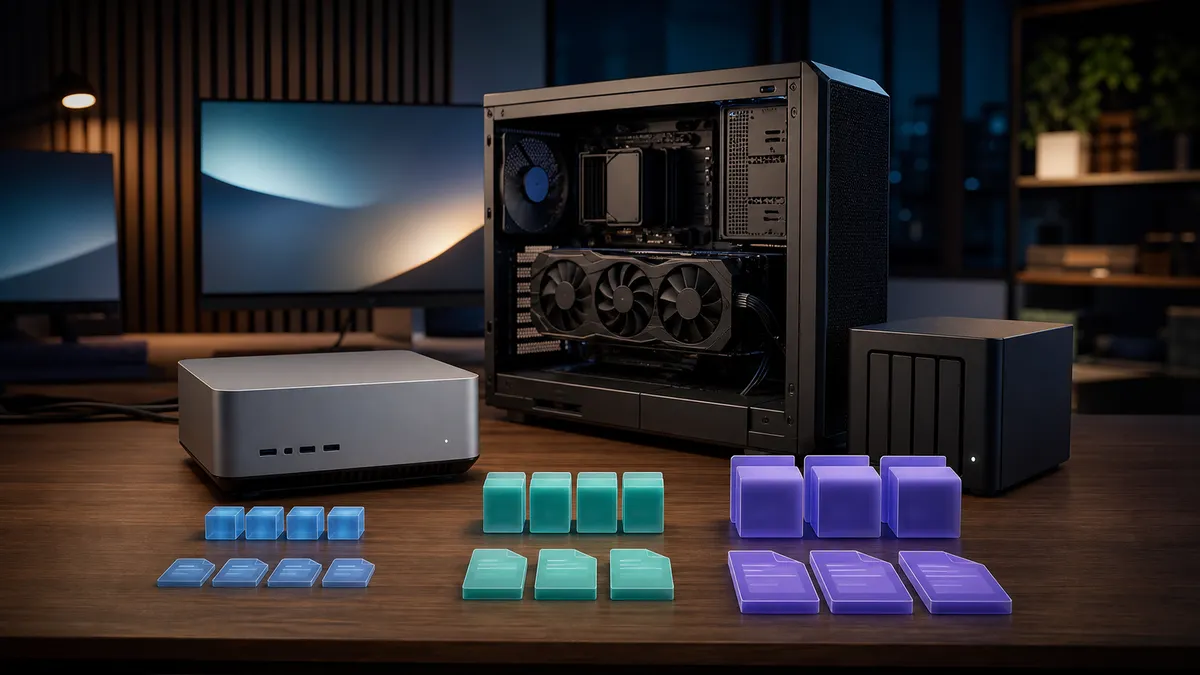
The most expensive local AI mistake is not always buying the wrong GPU. Sometimes it is downloading the wrong model file, waiting forever, filling the model drive, then discovering the result is either too slow, too cramped, or worse than the smaller file you ignored.
If you use Ollama, LM Studio, llama.cpp, or a GGUF model from Hugging Face, you will eventually see a wall of names like Q4_K_M, Q5_K_M, Q8_0, F16, IQ4_XS, and Q3_K_S. They look like firmware versions. They are really a buying guide in disguise.
The short version: start with Q4 or Q5 for normal home-lab use. Try Q8 when the model is small enough and you care more about quality than memory. Avoid full precision unless you know why you need it. Do not buy hardware just to run one oversized file before you have tested whether the smaller quant already solves the job.
This is not a benchmark. TokenByte has not measured every quant across every model on a Mac mini, RTX 3090, RTX 4090, or RTX 5090. This guide is a practical selection framework based on current GGUF documentation, local inference tooling, hardware memory limits, and the failure modes that show up in real home labs.
What a quant actually changes
A large language model is a pile of weights. Quantization stores those weights with fewer bits so the file gets smaller and usually uses less memory at runtime. The tradeoff is fidelity. A smaller quant can run on more machines, but at some point compression starts to hurt answers, formatting, tool use, or consistency.
Hugging Face's GGUF documentation describes GGUF as a single-file format that includes tensors and standardized metadata, and it lists quantization types such as Q8, Q6, Q5, Q4, Q3, Q2, and newer importance-weighted variants. LM Studio's own download docs put the user-facing version plainly: the Q names are copies of the same model at varying degrees of fidelity, with smaller files giving up some quality.
That is the mental model you need:
| Choice | What it usually means | Home-lab interpretation |
|---|---|---|
| F16 or BF16 | Much larger, high fidelity | Only if you have the memory and a reason |
| Q8 | Large quant, close to full precision for many uses | Nice for small models, expensive for big ones |
| Q6 | Middle-high quality | Good when you have headroom |
| Q5 | Strong practical default | Often the sweet spot on larger home-lab boxes |
| Q4 | Smaller practical default | Usually the first file to try |
| Q3 and below | Aggressive compression | Useful for experiments, weak hardware, or huge models |
The file name does not tell the whole story. Two Q4 files from different quantization families can behave differently. Model architecture, tokenizer, chat template, context length, prompt style, and inference engine all matter. Still, the quant name is the first clue about whether the file belongs on your machine.
Start with the job, not the biggest file
Most people choose quants backward. They sort by size, pick the biggest one that barely fits, then treat crashes and swapping as the cost of quality.
Use the job instead.
For chat, note-taking, search assistance, home automation helpers, and lightweight coding support, a good Q4 or Q5 model often matters more than chasing Q8. You want the model loaded, responsive, and available. A slightly larger quant that forces constant unloads can feel worse than a smaller one that stays hot.
For writing, code review, structured extraction, and tasks where small reasoning errors are costly, try Q5 or Q6 before Q4 if your machine has room. If the model is small, Q8 can be sensible. For example, running a small model at Q8 may be a better experience than forcing a much larger model into an extreme low-bit file.
For experiments with very large models, Q3 or IQ-style small files can be useful, but treat them as experiments. If the model produces brittle JSON, forgets instructions, repeats itself, or falls apart in long chats, the quant may be part of the problem.
The practical rule: download the smallest quant that does the job well, not the largest quant that fits once.
The memory trap
Storage size is not the same as comfortable runtime memory.
The model file has to load into system memory, unified memory, or VRAM depending on your engine and offload settings. Then you need room for context, cache, runtime overhead, the operating system, browser tabs, Open WebUI, Docker, ComfyUI, and whatever else you forgot was running.
This is why a file that looks fine on disk can still be annoying in use. It loads slowly. It evicts another model. It leaves too little headroom for a long context. It makes the Mac feel sticky. It pushes an RTX box into VRAM pressure while another service is alive.
Apple's current Mac mini specs list M4 configurations with 16GB or 24GB unified memory, and M4 Pro configurations configurable to 48GB. NVIDIA lists the RTX 4090 with 24GB of GDDR6X memory and the RTX 5090 with 32GB of GDDR7 memory. Those numbers are not just spec-sheet trivia. They decide whether you should think like a small-model user, a one-large-model user, or a multi-service home-lab operator.
Here is the useful way to read it:
| Machine class | Better first pick | Why |
|---|---|---|
| 16GB Mac mini | Small model at Q4 | Keep macOS and apps breathing |
| 24GB Mac mini | Q4 or Q5 for modest models | Unified memory is shared with everything |
| 48GB Mac mini | Q5, Q6, or larger small-model Q8 | More room, still shared memory |
| RTX 3090 or RTX 4090 class 24GB box | Q4 or Q5 for bigger models, Q8 for smaller ones | VRAM is precious and fast |
| RTX 5090 class 32GB box | Q5 or Q6 more often, Q8 for smaller models | Extra VRAM helps, but it is not unlimited |
Do not read that table as a promise that a specific model will fit. Always check the listed file size, the model card, your context setting, and your actual runtime. The point is simpler: memory headroom is part of quality. A higher-fidelity file that makes the whole box unstable is not really higher quality.
A sane download order
When you find a model with many GGUF options, do not download five files blindly. Use a repeatable order.
Start with Q4_K_M if it exists. It is a widely used practical baseline and usually the fastest way to find out whether the model is worth your time on your machine.
If Q4 feels promising but slightly weak, try Q5_K_M. This is often the next useful step. It costs more memory and storage, but it can improve instruction following and answer stability without jumping all the way to Q8 or full precision.
If the model is small enough, try Q8_0 as the quality check. A small model at Q8 can be a clean everyday tool. A large model at Q8 can be a bragging-rights download that mostly teaches you about memory pressure.
If Q4 is already too heavy, try a smaller model before reaching for Q3. A better smaller model at Q4 can beat a larger model crushed into a low-bit file, especially for short practical tasks.
Only download F16 or BF16 when you are doing comparison work, conversion, fine-tuning handoff, or you have enough memory to run it comfortably. For a normal home-lab user, full precision is usually a source artifact, not the daily-driver file.
Do not mix up model size and quant quality
A 14B model at Q4 is not automatically better than an 8B model at Q6 or Q8. A 32B model at a very small quant is not automatically smarter than a 14B model at a better quant. Bigger can help, but only if the model still has enough fidelity for the job and enough memory to run cleanly.
Use a simple test set. Pick five prompts that match your actual use:
- Summarize a long home-lab note and preserve the action items.
- Convert messy device notes into clean JSON.
- Explain a Docker Compose error without inventing a fix.
- Draft a short email in your voice.
- Answer a local hardware planning question with constraints.
Run the same prompts through Q4 and Q5. If Q5 is clearly better and still comfortable, keep it. If Q4 is indistinguishable for your use, keep the smaller file and spend the saved memory on context, another service, or a better model family.
This is where many home labs get cleaner. Instead of debating quants in the abstract, you keep a small personal eval folder. It does not need to be scientific to be useful. It needs to reflect your work.
Ollama, LM Studio, and the name problem
Ollama model names follow a model:tag format, and the tag identifies a specific version or variant. That is why names such as orca-mini:3b-q8_0 and llama3:70b can communicate both model and variant. LM Studio shows multiple download options for a model and calls out quant names such as Q3, Q8, and similar labels.
The important habit is to record exactly what you tested. "The model was bad" is not enough. Write down:
- Model name.
- Quant name.
- File size or tag.
- App or engine.
- Context length.
- CPU, GPU, or unified-memory machine.
- Whether another model or ComfyUI job was running.
Without that, you will forget which file was actually good. Worse, you will accidentally compare a Q4 file in one engine against a Q8 file in another and draw the wrong conclusion.
For a home-lab setup, this belongs next to your notes for the Build Picker, Recommended Gear, Mac mini local AI guide, and ComfyUI GPU guide. Models are now part of the build, not just files you download after the build is done.
When Q4 is the right answer
Q4 gets dismissed because it sounds like a compromise. It is a compromise, but that does not make it wrong.
Q4 is the right answer when:
- You are trying a new model family for the first time.
- You want the model to stay loaded all day.
- You are on a 16GB or 24GB Mac mini.
- You are running other services on the same box.
- You need a larger model class to fit at all.
- You care more about responsiveness than marginal answer polish.
For many home-lab workflows, Q4 is not the cheap version. It is the version that makes the system usable. If the model answers your real prompts well, there is no moral victory in wasting memory.
The warning sign is not "Q4." The warning sign is a model that becomes sloppy on the tasks you actually care about. If it loses structure, invents details, ignores constraints, or gives noticeably worse code suggestions, move up to Q5 or choose a better smaller model.
When Q5 or Q6 earns the space
Q5 is where many local LLM users should spend their extra headroom first. It is usually the next useful move after Q4 because it improves fidelity without the full memory jump of Q8 or F16.
Q5 or Q6 is worth trying when:
- Q4 is close, but not quite consistent enough.
- You are using the model for writing, coding, or structured extraction.
- You have a 24GB VRAM card and are not also loading image-generation workloads.
- You have a 48GB Mac mini configuration and can keep enough memory free.
- You want one dependable daily model instead of many barely used downloads.
This is also where buying decisions become clearer. If your daily work improves when moving from Q4 to Q5, then more memory may actually matter for you. If Q4 and Q5 are identical in your test prompts, spend the money elsewhere: storage, networking, backups, a quieter case, or a UPS.
When Q8 is worth it
Q8 is attractive because it feels close to "the real model" while still being quantized. It can be excellent, especially for smaller models.
Use Q8 when:
- The model is small enough that Q8 still leaves comfortable memory headroom.
- You are testing whether quantization is causing a failure.
- You want a high-fidelity local assistant for a narrow role.
- You are comparing model families and need a cleaner reference point.
Avoid Q8 when it turns the machine into a single-purpose box by accident. A 24GB GPU can feel large until you want a long context, a second service, or ComfyUI on the same machine. A 32GB card gives more room, but it does not remove the need to choose.
Q8 is a tool, not a default personality.
Buying guidance without the nonsense
If quantization changes what you buy, let it change the memory decision first.
For a Mac mini, unified memory is the purchase lever. A 16GB machine can be a useful local AI client and small-model box, but it is not where I would plan a large local LLM workflow. A 24GB machine gives more breathing room. A 48GB M4 Pro configuration changes the class of models you can comfortably experiment with, but it still shares memory with the operating system and apps.
For an RTX box, VRAM is the purchase lever. The RTX 4090 class gives you 24GB. The RTX 5090 class gives you 32GB. That extra headroom can matter if your real work benefits from Q5, Q6, larger context, or running more than one local AI service. It does not mean you should download the biggest file every time.
For storage, do not overthink peak SSD speed before you have a model library plan. The bigger problem is usually duplicate downloads, five abandoned quants per model, and no record of what worked. A clean model folder with notes beats a chaotic 4TB drive full of mystery files.
Read TokenByte's How We Test before treating any future benchmark as universal. Quant choice is sensitive to model, engine, prompt, context length, driver stack, and what else is running on the machine.
Affiliate disclosure: TokenByte may earn a commission if you buy through links on this site. That does not change the recommendation: buy memory and storage for the models you actually use, not for the largest file you can download once.
The practical default
If you are staring at a model page and do not know what to do, use this order:
- Download Q4_K_M.
- Test it on your own prompts.
- If it is good, stop.
- If it is close but weak, try Q5_K_M.
- If the model is small and important, try Q8_0.
- If none of those are good, try a different model before buying hardware.
That last step matters. Quantization can rescue a model from your memory limit, but it cannot make the wrong model right for your workload.
The best local LLM setup is not the one with the biggest download folder. It is the one where the right model loads quickly, answers well, leaves enough memory for the rest of the lab, and can be explained six weeks later when you forget why you installed it.
Found something that needs correcting? Tell the editor. Research, estimates, and hands-on measurements should be identified in the article. Read our affiliate disclosure.