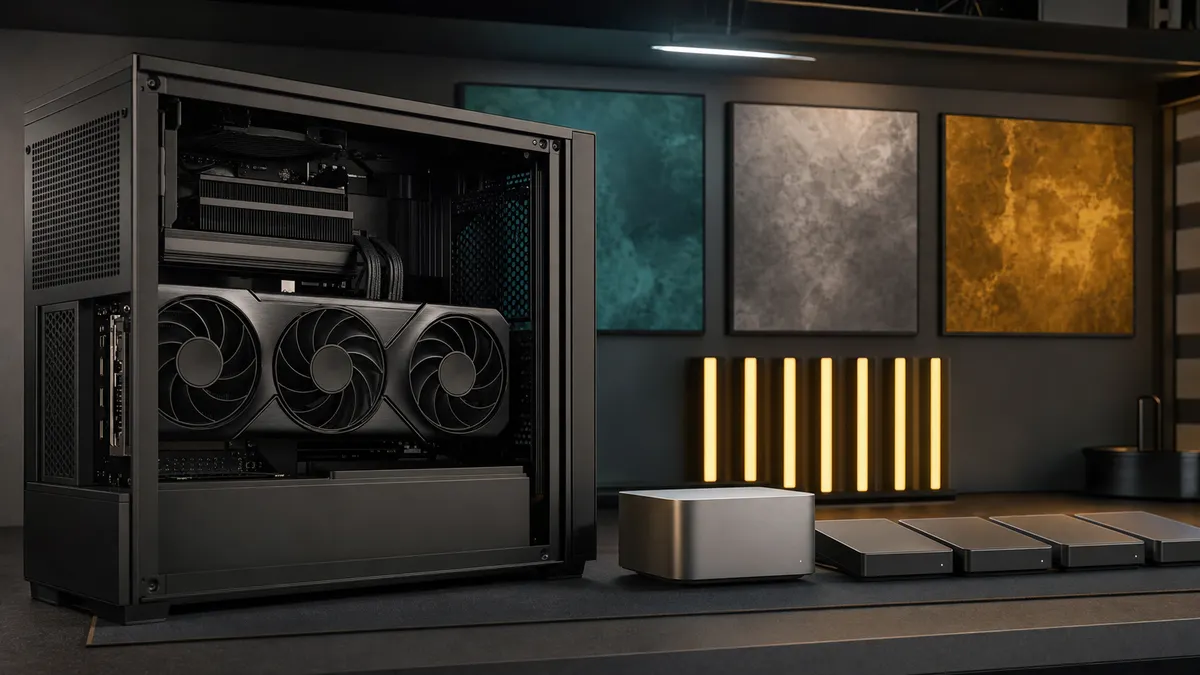
The RTX 5080 is a tempting card for a local AI box because it sits in the uncomfortable middle.
It is not cheap. It is not the top card. It has the new-generation appeal of Blackwell and fast GDDR7 memory, but it still gives you 16 GB of VRAM. That number is the whole story. Sixteen gigabytes can be perfectly useful for a disciplined home lab, and it can be painfully small if you buy it for the wrong workload.
This is not a TokenByte benchmark report. TokenByte has not measured an RTX 5080 across Ollama, ComfyUI, FLUX, video nodes, or local coding workloads. Treat this as researched buying guidance for June 27, 2026: what the card is on paper, where 16 GB makes sense, where it gets tight, and when your money is probably better spent on a different GPU.
Affiliate disclosure: TokenByte may earn a commission when you buy through links on this site. That never changes the recommendation: do not buy the RTX 5080 for local AI unless your actual workload fits inside 16 GB.
The short version
The RTX 5080 makes sense for local AI when you want a modern, efficient, single-GPU desktop card for:
- everyday Ollama and Open WebUI use with smaller or sensibly quantized local LLMs
- coding assistant models that do not need huge context windows
- SDXL-class ComfyUI workflows with careful model choices
- fast iteration on moderate image workflows
- a gaming or creator PC that also does local AI on the side
It is a weaker fit when you want:
- the easiest ComfyUI path for large FLUX workflows
- video generation experiments with fewer memory compromises
- one card that can hold bigger local models with larger context
- a shared household AI server that keeps several heavy jobs ready at once
- a purchase that maximizes VRAM per dollar
If you are still choosing the shape of the whole machine, start with the TokenByte build picker and the recommended gear hub. If ComfyUI is the main reason you are shopping, read the ComfyUI GPU guide before you read another price listing.
The RTX 5080 facts that matter for local AI
NVIDIA lists the GeForce RTX 5080 with 16 GB of GDDR7 on a 256-bit memory interface. The same official page lists 360 W total graphics power and an 850 W required system power recommendation, with either the adapter path using three PCIe 8-pin cables or a 450 W or greater PCIe Gen 5 power cable.
Those numbers are the practical starting point.
The 16 GB VRAM number tells you which workloads deserve attention. The 360 W power number tells you this is still a serious desktop GPU, not a casual low-power card for a cramped case. The 850 W system-power recommendation tells you to think about the whole build before you click buy.
Ollama's current hardware support page lists the GeForce RTX 50xx family, including the RTX 5080, under supported NVIDIA GPUs. That is useful because it means the card is not some unsupported oddball for Ollama. ComfyUI's own documentation still points users toward local installation with the right Python and PyTorch environment rather than promising that every workflow will fit every card. That distinction matters: driver support is not the same thing as unlimited memory.
For local AI, the RTX 5080 should be treated as a fast 16 GB card. Not a cheap 24 GB card. Not a baby 5090. Not a magic way around VRAM planning.
Current price context: do not treat MSRP as the checkout price
As of this June 27, 2026 check, the RTX 5080 price story is not clean. PC Gamer's graphics card price watch listed RTX 5080 MSRP at $999, but also noted that RTX 50-series prices had moved above MSRP. In the same price-watch data, the example RTX 5080 deal was a 16 GB Zotac card at $1,219.99 at Newegg, with price checks showing major retailers around roughly $1,249.99 to $1,319.99.
That can change by the hour. A GPU article should not pretend a live checkout page is permanent.
The useful buying rule is simpler:
| Street price zone | How I would treat it |
|---|---|
| Around $999 | Interesting if you specifically want a new-generation 16 GB card |
| Around $1,100 to $1,250 | Only reasonable if the exact workload fits and the seller is clean |
| Around $1,250 to $1,400 | Compare hard against used 24 GB cards and RTX 4090 listings |
| Above $1,400 | Usually the wrong local AI buy unless you need that exact card for other reasons |
The RTX 5080 can be a rational purchase if it is also your gaming or creator GPU. If the only job is local AI, the price has to compete with a used RTX 3090's 24 GB VRAM, an RTX 4090's 24 GB speed and maturity, and the RTX 5090's 32 GB ceiling. The 5080 can win the whole-system argument, but it should not win by default.
Where 16 GB works well
Sixteen gigabytes is not useless. It is just not forgiving.
For Ollama and Open WebUI, the RTX 5080 is a good fit when you are running compact local models, sensible GGUF quantizations, and practical context sizes. Hugging Face documents GGUF as a format used by llama.cpp and compatible tools, and the home-lab reality is that quant choice still decides whether a model feels easy or annoying.
Good RTX 5080 local LLM patterns include:
- one primary assistant model loaded for chat or coding
- smaller specialized models for summarizing, routing, or light automation
- conservative context settings instead of trying to max every slider
- a clear habit of unloading models you are not using
This is where the card makes sense: responsive local AI without building the entire machine around giant models.
ComfyUI can also fit well if your workflows are disciplined. SDXL-class image work, moderate resolutions, careful batching, and fewer always-on helper models can make 16 GB feel productive. A clean workflow that loads what it needs and writes outputs to fast local storage is much nicer than a monster graph that barely survives.
If you use a Mac Mini as the quiet front end, an RTX 5080 box can be the loud machine elsewhere in the house. The Mac browses Open WebUI or ComfyUI. The GPU box does CUDA work. That split is often more pleasant than trying to make every desk computer do every job.
Where 16 GB starts to hurt
The first problem is modern image workflows. FLUX changed expectations for a lot of hobbyist image-generation builders. Black Forest Labs' FLUX.1 schnell page describes a 12 billion parameter rectified flow transformer model. That does not mean every FLUX workflow is impossible on 16 GB, but it does mean casual "load everything and batch high-res outputs" thinking is the wrong posture.
The second problem is local LLM ambition. A 16 GB card can be very useful with smaller and quantized models, but it is not the card you buy because you want the fewest compromises on larger models. The moment you want bigger weights, larger context, more concurrent users, or less fiddling, VRAM becomes the wall you keep walking into.
The third problem is multitasking. Running a chat model, a ComfyUI workflow, browser tabs, monitoring, and a few helper services sounds normal until the GPU memory is already spoken for. A 16 GB card rewards tidy operation. It punishes "leave everything warm just in case."
That is why the recent TokenByte guide on adding a second GPU to a local AI box matters. A second GPU can help with separate workloads, but it does not turn two consumer cards into one big VRAM pool for normal home-lab workflows. If one job needs more memory than the 5080 has, buy for that job directly.
RTX 5080 versus RTX 3090, 4090, and 5090
The RTX 5080's hardest competitor for local AI is not always another new card. It is often an older 24 GB card.
A used RTX 3090 is messy because you have to inspect condition, seller quality, cooler health, warranty risk, and whether the card was abused. But 24 GB of VRAM remains a big reason local AI builders keep caring about it. If your workload is mostly about fitting models and workflows rather than chasing the latest gaming features, a clean 24 GB card can be more useful than a newer 16 GB card.
The RTX 4090 is the more expensive mature option. It gives you 24 GB and strong performance, but prices and availability can still be unpleasant. The RTX 5090 moves the consumer ceiling to 32 GB, but yesterday's RTX 5090 current price guide exists for a reason: the card can be hard to buy rationally.
So the 5080 wins only under specific conditions:
- you want a new card with a straightforward warranty
- 16 GB is genuinely enough for your workloads
- the price is close enough to MSRP to avoid buyer's remorse
- power, noise, and case fit are already handled
- gaming or creator work shares the cost
If all five are true, the RTX 5080 can be a clean build choice. If two or three are false, stop and compare alternatives.
The build details still matter
The RTX 5080 is not a low-effort upgrade just because it is not the flagship.
Plan the machine around the card:
- Use a PSU and cable setup that matches NVIDIA's power guidance and the card vendor's instructions.
- Leave real airflow around the GPU. A hot 360 W card in a cramped case is not a home-lab win.
- Put model storage on fast local NVMe or a well-planned storage path. Do not make every model load fight a slow external drive.
- Keep services explicit. If Ollama, ComfyUI, and Open WebUI all live on the box, document how each starts and what ports are exposed.
- Keep the network boring. The GPU box should be reachable from your LAN without becoming an accidental public service.
This is where how TokenByte tests local AI gear is relevant. The only benchmark that should steer your own spending is the one that matches your actual workflow. Time one image batch. Time one coding prompt. Watch VRAM use. Note fan noise. Track crashes and out-of-memory errors. Then buy the next piece of hardware.
A simple decision checklist
Buy the RTX 5080 for local AI if these statements are true:
- I know my main model or workflow fits inside 16 GB.
- I want a new current-generation card, not a used 24 GB card.
- I have checked the live price and it is not drifting into bad-value territory.
- I have the PSU, case, airflow, and cable plan already solved.
- I am comfortable tuning workflows instead of brute-forcing them with VRAM.
Skip it, or at least pause, if these statements are true:
- I mostly want to run larger image workflows with fewer compromises.
- I want to experiment with video generation and high-resolution batches.
- I keep several AI services warm at the same time.
- I am buying only because it is newer than a 3090 or 4090.
- The checkout price is far above MSRP.
The RTX 5080 is not a bad local AI card. It is a specific local AI card. Treat it as a fast, modern 16 GB GPU for disciplined workloads, and it can make a clean home-lab machine. Treat it as a cheap path to no-compromise local AI, and it will disappoint you in exactly the places VRAM always disappoints people: the model that almost fits, the workflow that almost runs, and the price premium that almost made sense.
Found something that needs correcting? Tell the editor. Research, estimates, and hands-on measurements should be identified in the article. Read our affiliate disclosure.