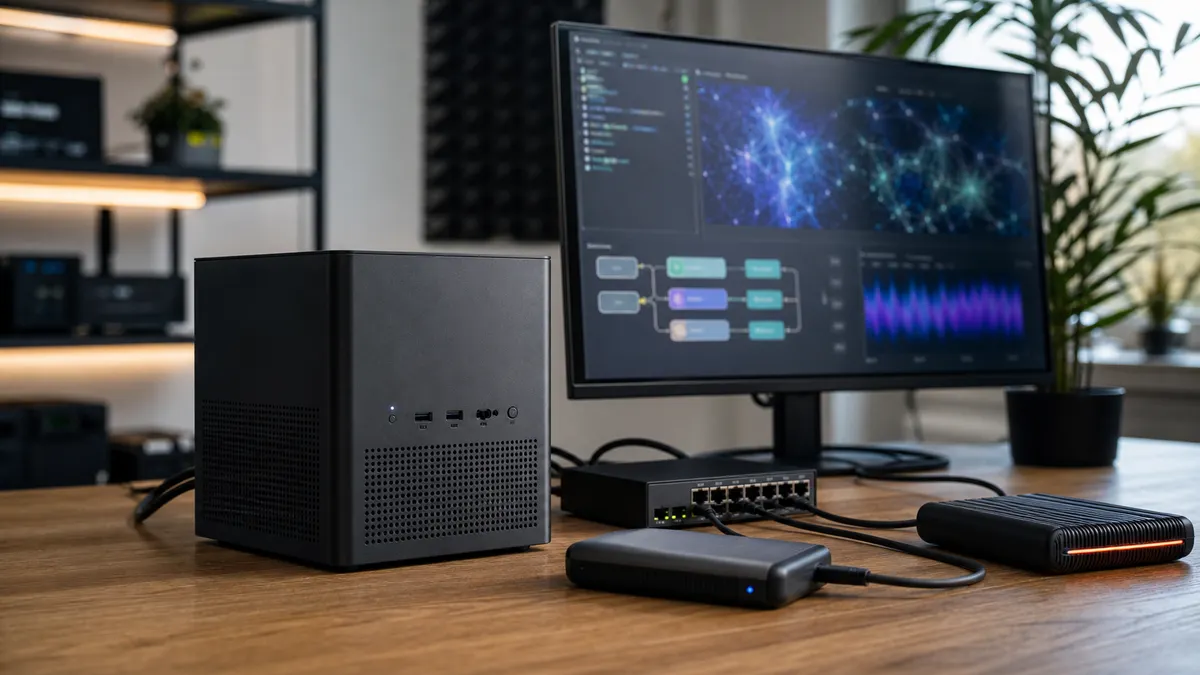
The most interesting local AI box in 2026 might not be another glass-sided tower with a 450-watt GPU. It might be a dense little workstation with AMD's Ryzen AI Max silicon, a pile of soldered LPDDR5x memory, and an integrated Radeon GPU that can borrow far more memory than a normal consumer graphics card.
That sounds like exactly what local AI people have been asking for: less heat, less cabling, less noise, and enough memory to load bigger models without playing quantization Tetris every weekend.
But the important question is not "is Ryzen AI Max powerful?" It is "what kind of home-lab AI box is it actually good at being?"
After looking at AMD's specs, Framework's desktop implementation, HP's Z2 Mini G1a workstation, current availability reporting, and the state of local AI software support, the answer is pretty clear: Ryzen AI Max mini PCs are compelling for compact local LLM labs, dev work, and quiet mixed-use desks. They are not a clean replacement for an RTX 4090 or RTX 5090 tower if your main workload is CUDA-heavy ComfyUI, training experiments, or maximum image-generation throughput.
That difference matters before you spend workstation money on a tiny box.
What Ryzen AI Max Changes
The headline chip here is the Ryzen AI Max+ 395. AMD lists it as a 16-core, 32-thread processor with Radeon 8060S graphics, 40 graphics compute units, and a 50 TOPS NPU. The part sits in AMD's Ryzen AI Max family, which is aimed at high-end AI PCs and compact workstations rather than low-power office mini PCs.
The unusual part is memory. Instead of a normal desktop CPU plus a separate GPU with its own VRAM, Ryzen AI Max systems use a unified memory design. Framework's Ryzen AI Max desktop configurations, for example, pair the platform with LPDDR5x-8000 memory and publish a 256 GB/s memory-bandwidth figure for the system. HP's Z2 Mini G1a also sells into the same general workstation idea: compact chassis, Ryzen AI Max Pro options, and large shared-memory configurations.
For local AI, that is a big deal because model size is often constrained by available accelerator memory. A 16GB GPU can be very fast, but it cannot magically hold a 70B model at comfortable precision. A 24GB GPU gives you more room, but large models still force compromises. A system with 64GB or 128GB of shared memory can make a different trade: more model room, less raw GPU muscle.
That does not mean the iGPU behaves like a giant RTX card. It means the box can be interesting in workloads where memory capacity matters more than absolute CUDA throughput.
The Practical Home-Lab Pitch
The appeal is easy to understand if your desk is already full.
A Ryzen AI Max mini workstation can be the always-on local AI box beside a Mac Mini, a NAS, and a compact network switch. It can run local LLM services, coding assistants, document summarization, embeddings, voice transcription experiments, and general development work without needing a full ATX case under the desk. For a reader using TokenByte's local AI build picker, this is not the cheapest way to get started. It is the choice for someone who wants one dense, capable, low-clutter machine.
That is a real use case. A lot of home labs fail not because the hardware is too slow, but because the setup becomes annoying to live with. A big GPU tower needs airflow, power planning, remote access, backups, updates, and enough space that it does not become a permanent obstacle. A compact workstation has a better chance of staying plugged in.
The best buyer is someone who cares about local LLM memory headroom, wants Windows or Linux flexibility, does not want to manage a separate GPU tower, and is comfortable paying more for integration.
The wrong buyer is someone expecting RTX-class CUDA behavior in every local AI app.
Where It Can Make Sense
The strongest case for Ryzen AI Max is local LLM experimentation with larger models than a typical 16GB card can comfortably handle.
Think about a compact workstation running Ollama, llama.cpp builds, LM Studio-style front ends, Open WebUI, development containers, and local automation services. That kind of box does not need to win every tokens-per-second chart to be useful. It needs to be available, quiet enough, memory-rich, and stable.
This is also where the memory story becomes more valuable than the NPU story. The 50 TOPS NPU is useful for certain AI PC workloads, but most enthusiast local AI stacks still lean on CPU, GPU, Vulkan, ROCm, Metal, CUDA, or app-specific acceleration paths. For a home lab, the NPU is a bonus. The shared memory pool is the reason to pay attention.
If your current local AI life is mostly:
- testing quantized LLMs
- running a private coding assistant
- building retrieval-augmented generation experiments
- hosting a small local API for automations
- keeping a clean desk instead of a loud GPU tower
then Ryzen AI Max belongs on the shortlist.
If your current local AI life is mostly:
- high-throughput ComfyUI image batches
- CUDA-first extensions
- model training or fine-tuning experiments
- workflows you know are built around NVIDIA support
- chasing the best tokens per second per dollar
then an RTX tower is still the cleaner recommendation.
The Software Catch
Hardware specs are only half the story. Local AI software support is the part that can turn a beautiful spec sheet into a weekend project.
NVIDIA still has the easiest path for many enthusiast AI workloads because CUDA support is so widely assumed. This shows up most clearly in image generation. ComfyUI can run on multiple platforms, but plenty of custom nodes, acceleration paths, and troubleshooting advice still land on NVIDIA first. TokenByte's ComfyUI GPU guide exists for that reason: the GPU choice shapes the whole workflow.
AMD support is improving, but it is more nuanced. Ollama has documented AMD GPU support in preview form, and llama.cpp has a Vulkan backend that can matter for AMD and other non-CUDA paths. That is encouraging. It is also not the same thing as saying every app, model, driver, and plugin behaves like a mature RTX setup.
For a practical home lab, that means you should buy Ryzen AI Max for workflows you are willing to validate, not for vague dreams about universal compatibility.
Before buying, make a short workload list:
- Which app do you actually use every day?
- Does it support AMD acceleration on your chosen operating system?
- Does it use Vulkan, ROCm, CPU, DirectML, or something else?
- Can you find current reports for the exact machine or chip family?
- Are you comfortable falling back to CPU for a tool that does not accelerate well?
If those questions feel tedious, that is a sign. A prebuilt RTX desktop may be less elegant, but it will often be more predictable for AI hobbyists.
The Memory Is Big, But Not Free
Unified memory is useful, but it is not magic.
On a discrete RTX card, the GPU has dedicated high-bandwidth VRAM. On a Ryzen AI Max system, CPU and GPU share the system memory pool. The upside is capacity. The downside is that bandwidth and architecture are different from a high-end discrete GPU.
That makes the box especially interesting for loading larger models that do not fit on common consumer GPUs. It does not guarantee faster inference than every discrete card. In fact, for smaller models that fit comfortably inside 24GB or 32GB of VRAM, a strong RTX card may still be the better performance choice.
This is why the buying decision should start with your model size, not the marketing line.
If you mostly run 7B, 8B, 12B, and 14B models, Ryzen AI Max may be overkill unless you also value the compact workstation format. If you regularly want to test 32B, 70B, or larger quantized models without immediately spilling into system RAM on a conventional GPU box, the shared-memory design becomes more compelling.
And if you mostly run image models, the memory story gets more complicated. VRAM matters for image workflows, but software support and raw GPU throughput matter just as much.
Framework, HP, and the New Mini Workstation Class
The interesting part of 2026 is that Ryzen AI Max is no longer just a chip announcement. It is showing up in real compact machines.
Framework's Desktop is the enthusiast-friendly version of the idea. Its Ryzen AI Max configurations are built around a compact desktop board, a small chassis, user-facing expansion-card slots, and 64GB or 128GB memory options at the high end. Framework's technical documentation is unusually transparent, which helps buyers understand what they are actually getting.
HP's Z2 Mini G1a is the workstation version. It is aimed more at business and professional buyers, with workstation positioning, support expectations, and a compact chassis meant to sit on or near a desk. That does not automatically make it the best home-lab value, but it does make the platform feel more serious than a one-off niche mini PC.
There is also fresh availability movement. Tom's Hardware reported on June 14, 2026 that an AMD Ryzen AI Halo Developer Platform with Ryzen AI Max+ 395, 128GB of unified memory, and a compact chassis had gone up for preorder through Micro Center at $3,999, with Corsair's AI Workstation 300 also mentioned as a Ryzen AI Max+ 395 system starting lower. Treat those as current market signals, not permanent prices. Mini workstation pricing can move quickly, especially when memory supply is tight.
That last point matters. A January 2026 Tom's Hardware report covered Framework raising Desktop pricing because of LPDDR5x memory costs. Since these systems use soldered high-speed memory, you cannot buy the cheap base model and add bargain RAM later.
Buy the memory you need on day one.
What I Would Buy For Different Setups
For a compact local LLM desk, I would look at a 128GB Ryzen AI Max configuration first. The whole point of this platform is memory headroom. Buying the smaller configuration can make sense for general development, but it weakens the reason to choose this over a conventional mini PC or a used workstation.
For a ComfyUI-first desk, I would still build around NVIDIA. A used RTX 3090, RTX 4090, or future 32GB-class RTX option is less tidy, but the software path is more familiar. If you are still choosing your path, start with the recommended local AI gear page and separate "LLM box" from "image-generation box" before shopping.
For a Mac Mini owner, Ryzen AI Max is most interesting as a second machine, not a replacement for the Mac. Let the Mac stay the daily desktop, controller, editing machine, or light local AI host. Put the Ryzen AI Max box on the network as the memory-rich local LLM server. That pairs naturally with the Mac Mini workflow in TokenByte's Mac Mini local AI guide.
For a tiny office or apartment, the compact workstation argument gets stronger. A full GPU tower may be a better benchmark machine, but a mini box you can actually tolerate beside your desk may do more real work over the year.
The Setup I Would Use
If I were adding one of these to a TokenByte-style home lab, I would keep the setup boring on purpose:
- Ryzen AI Max mini workstation with 128GB memory
- 2TB internal NVMe for OS, tools, and active models
- external SSD or NAS-backed model archive
- wired 2.5GbE or faster network if the model library lives elsewhere
- Linux if the target stack is better there, Windows if the buyer needs workstation app compatibility
- Ollama or llama.cpp-based services for first tests
- Open WebUI or a lightweight local front end
- simple backup plan before filling the model drive
That setup does not require a rack, a loud server, or a complicated remote desktop arrangement. It also leaves room to add a separate NVIDIA box later if ComfyUI or training becomes the main project.
The important discipline is to avoid turning the mini workstation into a junk drawer. Keep a clear split between active models, archived models, generated outputs, and backups. TokenByte's backup and storage guides exist because model folders grow faster than people expect.
Buying Notes Before You Click
First, check whether the memory is configurable after purchase. On these compact Ryzen AI Max designs, assume the answer is no unless the vendor clearly says otherwise. The memory is part of the platform decision.
Second, check fan behavior. A mini workstation can be quieter than a large GPU tower at idle, but a dense 120-watt-class box can still get loud under sustained load. Look for reviews that test the exact chassis, not just the chip.
Third, check operating-system support for your workload. Do not buy based on "AMD supports AI" as a general sentence. Buy based on your actual app.
Fourth, check ports. A compact AI box still needs networking, backup storage, keyboard and display access during setup, and maybe USB4 storage. If the machine only works after adding three dongles, the clean-desk advantage starts to fade.
Fifth, compare against a used RTX workstation. A small Ryzen AI Max box may be more elegant, but a used desktop with an RTX 3090 can still be brutally effective for the money if you can handle the size, power, and used-GPU risk.
Bottom Line
Ryzen AI Max mini PCs are one of the more interesting local AI hardware categories right now because they attack the problem from the memory side instead of only chasing bigger discrete GPUs.
That makes them genuinely useful for a specific home-lab profile: compact local LLM workstation, big shared memory, flexible OS options, fewer cables, and less desk disruption. It also makes them easy to overbuy if you expect them to behave like a CUDA-first RTX tower in every workflow.
The practical advice is simple: buy Ryzen AI Max if your priority is a compact memory-rich local LLM box. Buy RTX if your priority is ComfyUI throughput, CUDA compatibility, or the safest enthusiast software path. Buy neither until you can name the models and apps you actually plan to run.
That is the difference between a neat new AI mini PC and a very expensive cube of good intentions.
Affiliate disclosure: TokenByte may earn a commission if you buy through links on our site. That does not change the price you pay or the recommendations in this article. We do not claim hands-on TokenByte benchmark results for Ryzen AI Max mini PCs here; this guide is based on current vendor specifications, public documentation, and availability reporting. For our testing approach, see How TokenByte Tests Local AI Gear.
Found something that needs correcting? Tell the editor. Research, estimates, and hands-on measurements should be identified in the article. Read our affiliate disclosure.