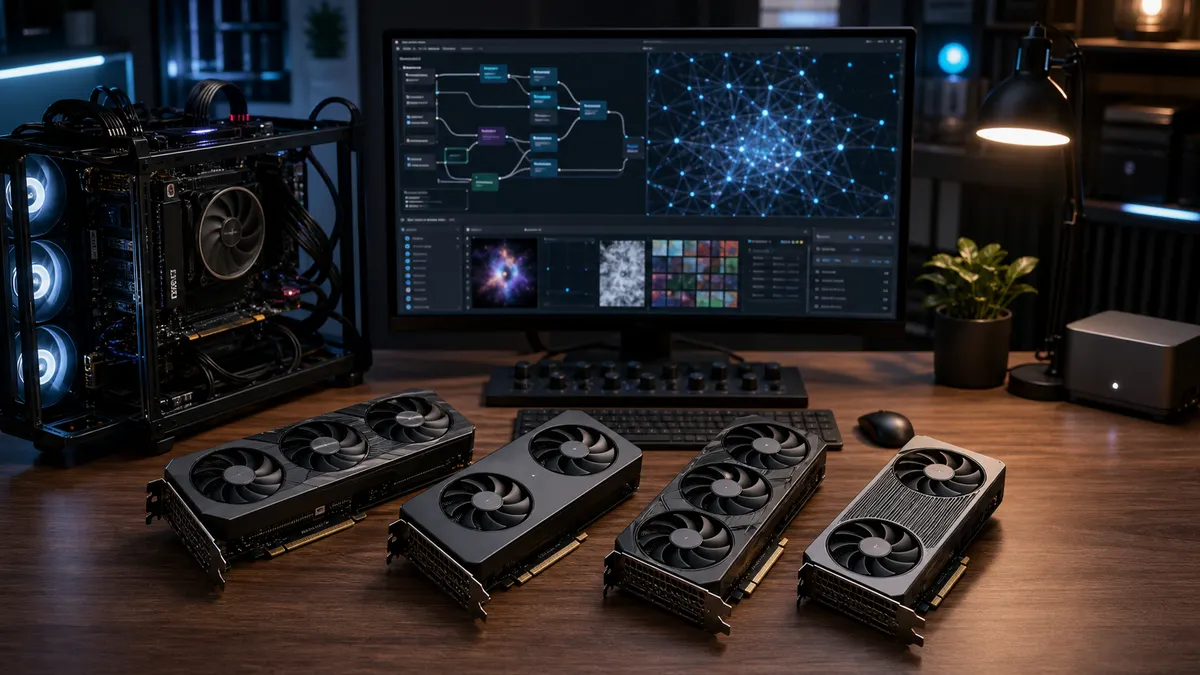
The safest first GPU for ComfyUI is usually a 16GB NVIDIA card bought at a sane price. That is not because every 16GB NVIDIA card is fast, or because AMD and Intel are unusable. It is because a beginner local AI box needs three things at once: enough VRAM to learn real workflows, a software path that matches current install guides, and a purchase price that does not push you into used 24GB or newer 32GB territory.
If you already own an 8GB card, start with it. If you are buying specifically for local AI, 8GB is now the compromise tier. It can teach you the interface, but it becomes cramped once ComfyUI graphs add larger checkpoints, ControlNet-style helpers, upscalers, video nodes, or multiple active models. Sixteen gigabytes is not a workstation class of memory. It is the first tier where the machine starts to feel like a practical learning box instead of a demo station.
<em>Updated September 9, 2026. This is a researched buying guide, not a TokenByte benchmark. Specs and software support below are checked against manufacturer and project documentation; checkout prices and board designs still need to be verified with the exact card vendor.</em>
Affiliate disclosure: TokenByte may earn a commission if affiliate links are added to this guide later. The recommendations here are based on public specifications, software support, and practical home-lab fit, not paid placement.
Fast Verdict
| GPU path | Memory | Best fit | Main caution |
|---|---|---|---|
| RTX 5060 Ti 16GB | 16GB GDDR7 | Easiest new NVIDIA starter path for ComfyUI | Do not overpay if used 24GB or higher-tier cards are close |
| RTX 4060 Ti 16GB | 16GB GDDR6 | Discount NVIDIA card when the price is clearly lower | Older Ada card, narrow bus, value depends entirely on deal quality |
| Radeon RX 9060 XT 16GB | 16GB GDDR6 | Value-minded AMD build, especially on Linux or with newer ROCm paths | More setup judgment than the typical CUDA-first tutorial |
| Intel Arc B580 class | Usually 12GB on B580 cards | Budget experimentation, media work, and OpenVINO curiosity | Verify exact card specs and expect a less common ComfyUI path |
| Used RTX 3090 | 24GB GDDR6X | Bigger VRAM budget for advanced workflows | Used-card risk, power, heat, noise, and no new-card warranty |
The short answer: start with a 16GB NVIDIA card when you want fewer software surprises. Consider AMD when the price-to-memory tradeoff is strong and you are willing to follow the current ROCm instructions. Consider Intel Arc when experimentation and media features matter more than copy-paste ComfyUI compatibility, but verify the exact board specs before buying. Consider a used 24GB NVIDIA card only after checking power, case clearance, seller risk, and your tolerance for used hardware.
Why VRAM Comes First
ComfyUI is visual, but the important purchase limit is not the monitor. It is the memory on the accelerator. The checkpoint, active graph, attention work, ControlNet or adapter models, upscalers, preview data, and sometimes video frames all need room. Once VRAM is tight, the workflow does not merely slow down. It may need lower resolutions, smaller models, tiled workarounds, CPU offload, or a different graph.
That is why TokenByte treats 16GB as the practical starter target for a new local AI GPU. It is enough room for many image workflows and enough headroom to learn without turning every new node into a memory negotiation. It is still not the same as a 24GB or 32GB card. If your real goal is local video generation, high-resolution batches, heavy diffusion workflows, or large local LLM experiments, read this guide as the bottom of the ladder, not the top.
Do not buy from the memory number alone. Driver support, PyTorch support, operating system, power draw, case clearance, and cooling all matter. A 16GB card with awkward software support can waste more time than a smaller card on a better-supported path.
RTX 5060 Ti 16GB: The Default New Starter Pick
NVIDIA lists the GeForce RTX 5060 Ti with 4,608 CUDA cores, Blackwell architecture, fifth-generation Tensor Cores, 16GB or 8GB of GDDR7, a 128-bit memory interface, 180W total graphics power, and a 600W reference system-power recommendation. Source: NVIDIA GeForce RTX 5060 family specs.
For a first ComfyUI build, the 16GB version is the one that belongs on the shortlist. The value is not only the card. The value is the NVIDIA path around it: CUDA, current PyTorch install options, driver familiarity, more troubleshooting examples, and more workflows written by people assuming NVIDIA hardware.
The catch is price discipline. NVIDIA's page can point to buying options, but street pricing, cooler design, warranty terms, and exact power connectors are board-vendor details. Check the exact card, not just the GPU name. If the 5060 Ti 16GB is priced near a stronger used 24GB card or a higher-tier new card, the starter argument gets weaker.
Buy it when you want a modern, lower-power, beginner-friendly NVIDIA path. Skip it when the price no longer behaves like a starter card.
RTX 4060 Ti 16GB: Still Useful at the Right Discount
NVIDIA lists the RTX 4060 Ti with 4,352 CUDA cores, Ada Lovelace architecture, 16GB or 8GB of GDDR6, a 128-bit memory interface, and 165W or 160W total graphics power depending on model. Source: NVIDIA GeForce RTX 4060 Ti specs.
That makes the 4060 Ti 16GB a practical but conditional card. It has the main thing a starter ComfyUI user wants, which is 16GB of VRAM on the NVIDIA software path. It also has the baggage of an older product tier and a narrow memory bus. For local AI, that does not make it useless. It makes it a discount card.
The rule is simple: do not buy a 4060 Ti 16GB because the name is familiar. Buy it only when the total price is meaningfully lower than the 5060 Ti 16GB path and the card has a clean warranty or a seller you trust. If the gap is small, pick the newer card or keep looking.
Radeon RX 9060 XT 16GB: Better Value, More Setup Judgment
AMD lists the Radeon RX 9060 XT 16GB with 32 compute units, 16GB of GDDR6, a 128-bit memory interface, up to 320GB/s memory bandwidth, 160W typical board power, a 450W minimum PSU recommendation, and Linux plus Windows OS support. Source: AMD Radeon RX 9060 XT 16GB specs.
This is the kind of card that can make financial sense for a gaming-first PC that also runs local AI. It gives you a real 16GB memory pool and a reasonable power envelope. The question is whether your workflow stack matches the current AMD path.
ComfyUI's current system requirements list AMD GPU support through ROCm on Linux, and experimental Windows/Linux support for RDNA 3, RDNA 3.5, and RDNA 4 hardware. Source: ComfyUI system requirements. PyTorch's local install selector also exposes ROCm builds alongside CUDA and CPU options. Source: PyTorch local installation.
That is better than treating AMD as out of the question. It is also not the same as saying every tutorial, custom node, or workflow will feel identical to NVIDIA. Buy AMD when you are comfortable reading current install notes and troubleshooting the backend. Buy NVIDIA when you want the common path.
Intel Arc B580 Class: Interesting Hardware, Different Expectations
The B580 class is not the clean replacement for a starter 16GB NVIDIA or AMD option. It belongs here because 12GB-class cards are more usable for learning than 8GB cards, and Arc hardware can be attractive for a budget media and experimentation box.
The setup caveat is real. ComfyUI's current requirements list Intel Arc support through native PyTorch torch.xpu support, but the common community path is still less standardized than CUDA. OpenVINO also lists Intel Arc GPUs as supported hardware and notes that GPU use can require manual driver or component installation. Sources: ComfyUI system requirements and OpenVINO system requirements.
Buy Arc when curiosity, media features, OpenVINO experiments, and budget matter. Do not buy it as the frictionless first ComfyUI card unless you already know the workflow stack you plan to use. Before buying, verify the exact memory, board power, required BIOS settings, driver path, and return policy with the card vendor.
When a Used RTX 3090 Beats a New Starter Card
A used RTX 3090 remains tempting because 24GB of VRAM solves a different class of problem. If your goal is larger diffusion workflows, heavier local image stacks, or local model experiments that regularly spill past 16GB, memory headroom can matter more than buying new.
The tradeoff is ownership risk. A used high-power card may have lived a hard life. It may need more case room, more cooling, a better power supply, and more noise tolerance than a modern 16GB starter card. If the machine is going under a desk in a shared room, those costs are not theoretical.
The sensible used-card checklist is short:
- Confirm the exact model, length, slot width, and power connectors.
- Confirm the seller's return window and proof that the card works.
- Budget for a power supply and airflow if your current case is marginal.
- Test with the workflow you actually bought it to run.
- Do not confuse more VRAM with a warranty.
Used 24GB cards are worth comparing. They are not automatically the right answer for someone who just wants to learn ComfyUI.
What About 8GB Cards?
Use an 8GB GPU if you already own it. It can run small workflows, teach the ComfyUI interface, and show whether local image generation is something you will actually repeat. That is useful evidence before spending money.
Buying a new 8GB card for local AI is harder to defend. You save money up front, then pay in lower resolutions, narrower model choices, more offload, more workflow edits, and earlier replacement pressure. For a general gaming PC, the math may be different. For a local AI starter box, 8GB is usually the floor.
The better low-budget move is often to wait for a good 12GB, 16GB, or used 24GB option instead of buying the cheapest new card in the case.
The Rest of the Box Still Matters
A starter GPU does not rescue an unbalanced machine. A practical ComfyUI and local AI box also needs enough system RAM, a reliable model drive, a clean power path, and airflow that can survive long runs.
For most starter builds, plan around:
- 32GB system RAM as the floor, with 64GB preferred if browsers, local LLMs, ComfyUI, and helper tools will run together.
- A fast internal NVMe SSD for the OS, active apps, and current working sets.
- A larger SSD or organized model drive for checkpoints, LoRAs, upscalers, datasets, and exports.
- A PSU with the right native cables and enough headroom for the whole system.
- A case that fits the exact card, not just the GPU class.
- A tested runtime path before you treat the machine as dependable.
TokenByte's Build Picker is the better starting point if you are still choosing the whole machine. Use the ComfyUI GPU guide for the broader image-workflow decision, the external model-drive guide for storage, and How We Test to understand the difference between measured results, researched specs, and editorial guidance.
Bottom Line
For a new ComfyUI beginner, the RTX 5060 Ti 16GB is the first card to check when its price stays in starter territory. The RTX 4060 Ti 16GB is a discount NVIDIA option, not an automatic buy. The RX 9060 XT 16GB is a credible value path for people willing to follow the current AMD support story. Intel Arc is the budget experiment lane. A used RTX 3090 is the bigger-memory comparison, with used-card risk attached.
The mistake is buying around a famous GPU name instead of a workload. Pick the workflow first. Check the software path. Confirm the memory limit. Then buy the least painful card that fits the job you will actually run this month.
Found something that needs correcting? Tell the editor. Research, estimates, and hands-on measurements should be identified in the article. Read our affiliate disclosure.