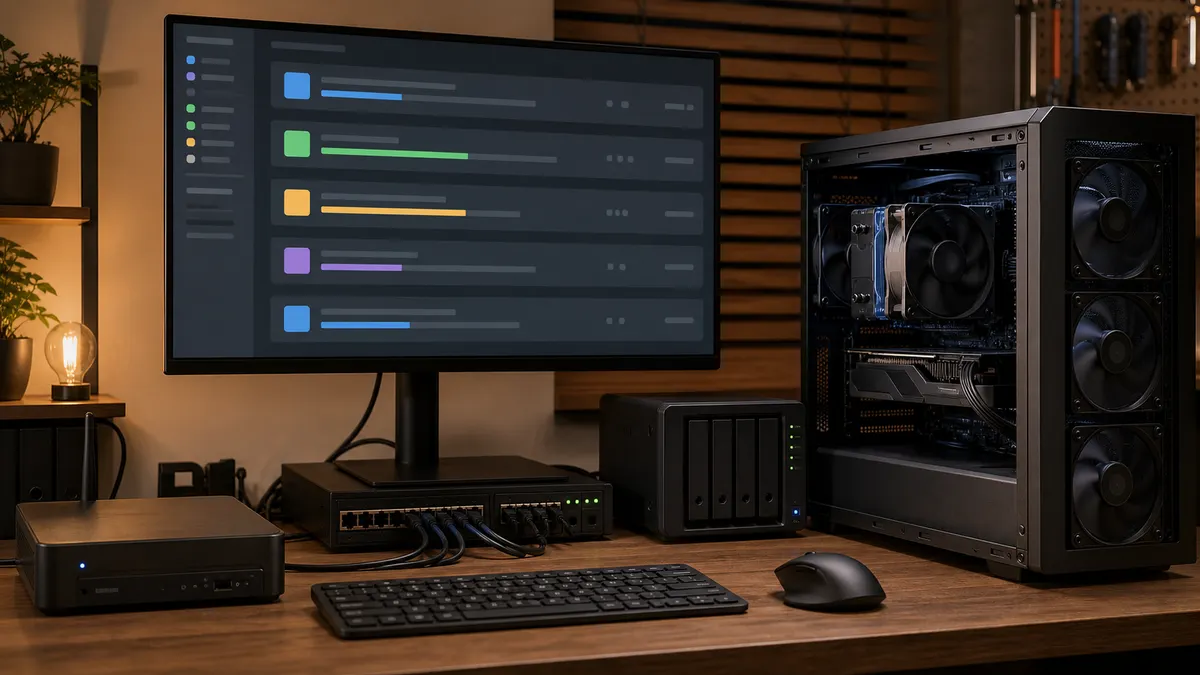
The first time a local AI lab feels busy, the problem usually looks smaller than it is.
A ComfyUI render is running. A script starts a batch of image captions. An Ollama-backed tool asks for a summary. A RAG rebuild begins embedding documents. Then a second browser tab submits another workflow because the first one looked stuck.
Nothing has technically failed. The GPU is just being treated like an endless desk with no calendar.
That works when one person runs one workflow at a time. It breaks when the lab turns into a useful household service: image jobs, local chat, transcription cleanup, document processing, evaluation runs, and automation tasks all trying to use the same expensive hardware. The fix is not always a second GPU. The first fix is usually a queue.
Affiliate disclosure: TokenByte may earn a commission when affiliate links are added to this guide later. That does not change the recommendation here: build the queue with the hardware you already own first, then buy only when the queue proves a real bottleneck.
What a Queue Actually Solves
A job queue does not make a GPU faster. It makes GPU work visible and orderly.
The useful version answers plain questions:
- What is waiting?
- What is running?
- Which machine should handle it?
- How long has it been stuck?
- Can this job be retried safely?
- Should this job run now, later, or not at all?
- Did the failure come from the model, the workflow, storage, VRAM, or the worker?
That matters because local AI workloads are uneven. A 20-second text rewrite, a 12-minute image workflow, and a multi-hour batch captioning job should not all arrive at the GPU with the same urgency. If every script calls the backend directly, the lab has no memory of intent. It only has traffic.
The queue is the part that says: one thing at a time where needed, a few things in parallel where safe, and no silent pileup.
Start Outside the AI Tools
Some AI tools already have queues or concurrency controls. Use them, but do not mistake them for a lab-wide scheduler.
ComfyUI's server documentation says workflow submissions are posted to /prompt, where the prompt is validated and added to an execution queue. A successful response includes a prompt ID and queue position; a failed response includes validation errors. That is useful inside ComfyUI. It does not automatically coordinate your OCR script, model downloader, Ollama requests, and RAG rebuild.
Ollama also has its own concurrency behavior. Its FAQ documents OLLAMA_MAX_LOADED_MODELS, OLLAMA_NUM_PARALLEL, and OLLAMA_MAX_QUEUE for controlling loaded models, per-model parallel requests, and how many requests are queued before rejection. It also warns that required memory scales with parallelism and context length. That is valuable, but it is still Ollama's view of the world.
The home-lab queue should sit one layer higher. It should decide when to submit work to ComfyUI, when to send a batch to an LLM endpoint, and when to hold low-priority jobs until the lab is quiet.
Think of it as a traffic desk, not a replacement backend.
The Boring First Design
Do not start with Kubernetes, autoscaling, or a dashboard that takes longer to maintain than the GPU box.
A useful first queue can be small:
- one always-on control machine
- one Redis instance or similar lightweight broker
- one queue library
- one worker for image jobs
- one worker for text or document jobs
- one folder for inputs
- one folder for outputs
- one log entry per job
If your scripts are Python-heavy, RQ is a practical starting point because it is built around Redis-backed background jobs, workers, job IDs, statuses, callbacks, and dependencies. If your local tools are mostly Node or TypeScript, BullMQ is a strong fit because it is a Redis-backed queue system with workers, priorities, delayed jobs, retries, concurrency controls, crash recovery, and parent-child dependencies.
The specific library matters less than the habit: submit work to a queue, let a worker pick it up, record what happened, and avoid every app inventing its own private retry loop.
Split the Queues by Failure Mode
One giant ai-jobs queue sounds clean until you need to debug it.
Start with separate queues:
gpu-imagefor ComfyUI and other image workflowsgpu-llmfor heavier local model requestscpu-textfor parsing, cleanup, chunking, and metadata jobsbatch-lowfor work that can wait overnightmaintenancefor model cleanup, archive checks, and lab housekeeping
This keeps a slow image workflow from hiding every other problem. It also lets you set different limits. A GPU image queue might run one job at a time on a 16GB card. A text cleanup queue might run several CPU jobs in parallel. A batch queue might pause during the day and wake up after midnight.
The goal is not maximum throughput on day one. The goal is to stop losing track of work.
Put Limits Where the Hardware Is Fragile
Local AI queues need limits because VRAM is not polite.
A queue should know the rough class of each job:
- small text request
- long-context text request
- embedding batch
- small image workflow
- high-resolution image workflow
- upscaler job
- video or frame batch
- model download or conversion
You do not need perfect prediction. You need enough labeling to avoid obvious collisions.
On a single-GPU image box, the first rule can be brutal: one GPU image job at a time. On an LLM server, you might allow a few short requests if the model and context fit. Ollama's concurrency documentation is a useful reminder that parallelism can increase memory pressure. A lab queue should start conservative, then relax limits only after real queue history says it is safe.
For Docker-based workers, the Docker Compose GPU documentation is also worth reading before assuming every container should see every GPU. Compose can reserve GPU devices for services, and the documented options include capabilities, count, and device_ids. In a bigger lab, explicit GPU assignment is cleaner than hoping the right container grabs the right card.
Make Every Job Inspectable
A queue is only useful if it leaves evidence.
Each job should record:
- job ID
- queue name
- requested workflow or task type
- input path
- output path
- target backend
- submit time
- start time
- finish time
- status
- error message
- retry count
- model or workflow version
Do not log private prompt text by default. For a home lab, the useful trace is usually operational: what ran, where it ran, how long it took, and whether it failed. If the job handles personal documents, voice notes, client material, medical records, financial records, or private images, store metadata carefully and keep raw content out of casual dashboards.
This pairs naturally with TokenByte's earlier local AI health dashboard and prompt tracing ideas. The health dashboard tells you what the machine was doing. Prompt tracing tells you what an automation asked. The queue tells you what was waiting and what actually ran.
Those three views together are much better than guessing from a terminal window.
Retry Less Than You Want
Retries are useful when a worker crashes, a service restarts, or a temporary network mount disappears.
Retries are dangerous when the original job is expensive, destructive, or likely to fail the same way again.
Use simple rules:
- retry transient service errors once or twice
- do not retry validation errors automatically
- do not retry jobs that produced partial private outputs without review
- do not retry large image batches forever
- mark repeated VRAM failures as a capacity signal, not a mystery
- make manual requeueing easy for jobs worth saving
A queue should reduce chaos, not hide it. If a workflow fails because the model is missing, the fix is to install the model or change the workflow. Retrying the same broken job ten times only turns a clear problem into noise.
Do Not Buy Hardware Until the Queue Tells You Why
A job queue is buying guidance disguised as infrastructure.
After a week, the queue should show patterns:
- image jobs wait for hours but text jobs are fine
- small LLM requests get stuck behind giant batch jobs
- the GPU is idle because inputs are waiting on CPU preprocessing
- the model drive is the bottleneck
- a nightly batch makes the lab unusable the next morning
- one workflow fails more than everything else
- the always-on control machine is too weak for housekeeping
Those patterns are more useful than generic upgrade advice.
If gpu-image is always backed up and the card is actually busy, a stronger GPU may make sense. If jobs wait because storage is full, buy or reorganize storage before shopping for a graphics card. If the queue shows that most work is CPU parsing and file cleanup, a quiet mini PC or more RAM may beat a louder GPU tower. If low-priority batch work causes pain, scheduling may solve the problem for free.
This is where high-intent buying content should be honest: the queue tells you whether the next dollar belongs in VRAM, RAM, SSD capacity, NAS storage, networking, cooling, UPS runtime, or nothing at all.
A Practical First-Week Plan
Day one: pick one workflow that currently causes waiting or confusion. Image jobs are a good candidate because they are visible, expensive, and easy to overload.
Day two: create one queue and one worker. Submit jobs through the queue instead of directly from your script.
Day three: write outputs to predictable folders and record job metadata.
Day four: add statuses: queued, started, finished, failed, canceled.
Day five: add one retry rule and one timeout rule.
Day six: add a second queue for CPU preparation or low-priority batch work.
Day seven: review the job history before changing hardware.
That is enough. Do not build the final control plane in the first week. Build the smallest system that stops jobs from disappearing into a terminal tab.
What to Avoid
Do not let every app submit unlimited work.
Do not run all queues at the same priority.
Do not hide failed jobs.
Do not treat ComfyUI's internal queue as a scheduler for the whole lab.
Do not assume Ollama's own request queue knows your household priorities.
Do not give every container every GPU unless that is intentional.
Do not log raw private prompts just because it is convenient.
Do not buy a second GPU before you know whether the first one is actually saturated.
The point of a local AI lab is not to make the house feel like a tiny cloud provider. It is to make useful private tools that behave predictably. A queue is one of the least glamorous parts of that, which is why it belongs early.
One visible waiting line. A few honest limits. Workers that leave receipts. Enough history to know whether the lab needs better scheduling, better storage, or better hardware.
That is a better upgrade path than guessing from fan noise.
Next Lab Step
Use the TokenByte build picker if you are still deciding which box should stay on all day. Use the GPU guide only after the queue shows that the GPU is really the bottleneck. Use the recommended gear hub for storage, networking, RAM, and power decisions once the queue history shows which constraint is actually costing time.
Found something that needs correcting? Tell the editor. Research, estimates, and hands-on measurements should be identified in the article. Read our affiliate disclosure.